
The reminder Application for absence can be sent when:
- An employee has applied for absence.
- An employee has registered an absence that does not require audit in the absence manager.
- A manager has approved an application for absence.
- A manager has rejected an application for absence.
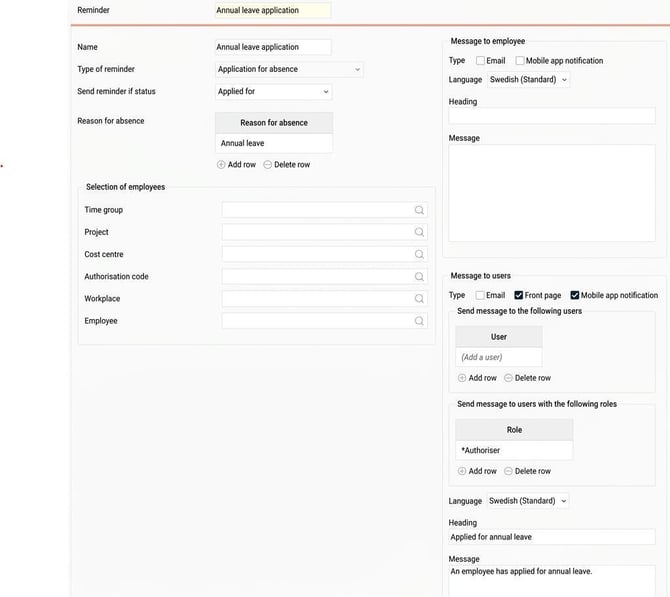
In the reminder, you can select a reason for absence if you, for example, want a separate reminder only for annual leave applications. The reminder in the image above will be sent to users with the *Attestant role when an employee applies for annual leave.
A message to the employee for whom the absence applies can be sent by email and as a notification in HRM Mobile. Message to users can, in addition to email and notification, be shown in the reminders panel on the front page in HRM.
| Click the notification displayed in HRM Mobile to open the absence view and process the leave application. | 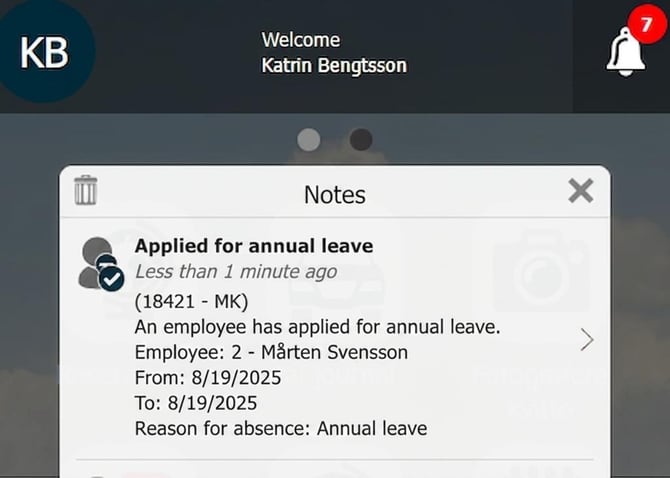
|
| Use the icons in the reminder on the front page to approve or reject the leave application. | 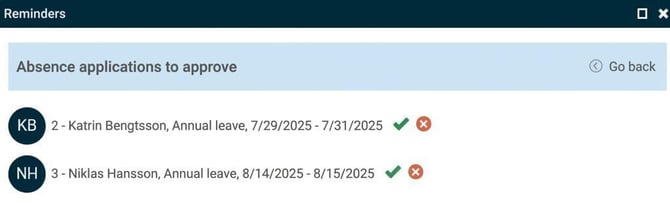
|
Read more about reminders in HRM:
How do reminders work?
Please note: This article is AI-translated. This means that linguistic errors or misunderstandings may occur.