
To print your travel allowances, use the button: 
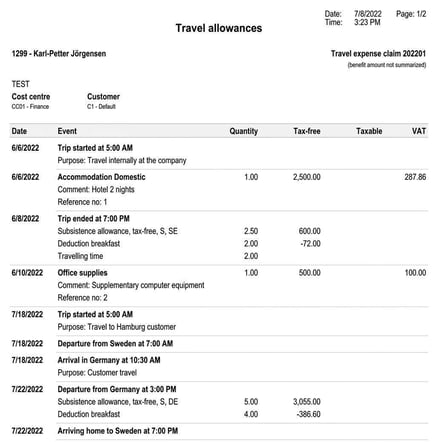
The printout opens in a new tab, from where you can either export it further or print it on paper.
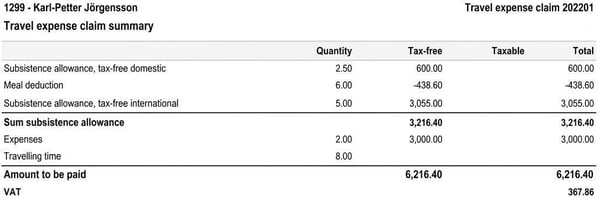
The totals for all sections are always shown on the last page under ‘Travel expense claim summary’ or before the attachments if you have selected to include attachments in the printout.
Please note: This article is AI-translated. This means that linguistic errors or misunderstandings may occur.