
When your travel expense claim is fully completed and you want to send it on for approval, hover your mouse over 'Status: Preliminary' and then over 'Submit' to add your signature confirming the travel expense claim is finished and correct.
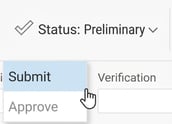
Submit is then applied, and the status of the travel expense claim changes. You are now ready to start your next travel expense claim.
Please note: This article is AI-translated. This means that linguistic errors or misunderstandings may occur.