
Settings - General - Invoicing - Travel Tab
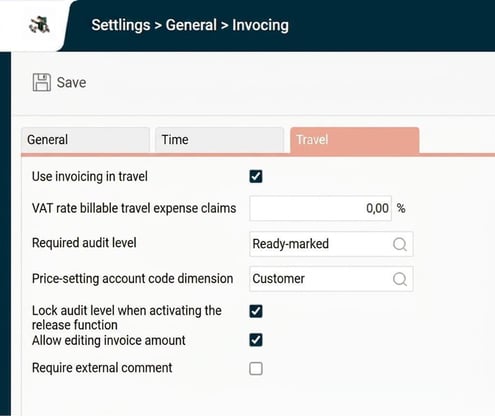
Use invoicing in travel
Use invoicing in travel must be enabled for the function to work in Travel.
VAT rate billable travel expense claims
Is only used if you wish to onward invoice released hours directly to the customer. If you do not invoice directly, enter 0%.
Required audit level
Specify which audit level (Ready, project approval, approval) is required for a time row to be "released". A released row can never be released again (unless you use the correction function for invoice data).
Price-setting account code dimension
Here you specify which account code dimension should be used for pricing. It is also possible to set prices on other dimensions (registers), but this requires that the price-setting dimension is set on the price row in question.
Lock audit level when activating the release function
Tick this box if the audit level should be locked when released to invoicing.
Allow editing invoice amount
If you want the data for invoicing to be editable, you can specify this here.
Require external comment
Here you specify if an external comment should be mandatory in connection with invoicing.
Invoicing Travel
General
In Travel, it's a bit trickier to find where to link the CUSTOMER dimension and which dimension to use for pricing.
The most common option is to use the Article dimension to control which mileage claims, subsistence allowances, and expenses should be invoiced and priced.
Articles and Customer are then linked to the expenses you wish to invoice.
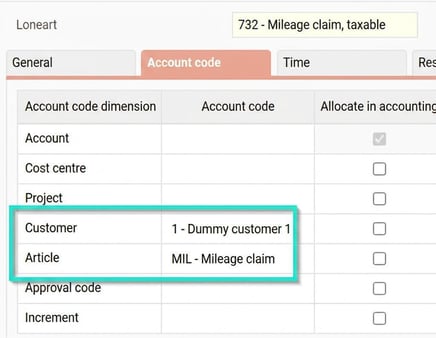
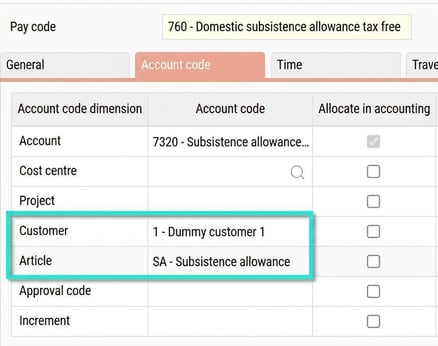
Regarding mileage and subsistence allowances, Customer and Article are linked directly to the pay codes used for these mileage claims and subsistence allowances.
Example Articles
Create articles for each type that should be invoiced.
If certain expenses should not be invoiced, you should set up an Article that can never be billed.
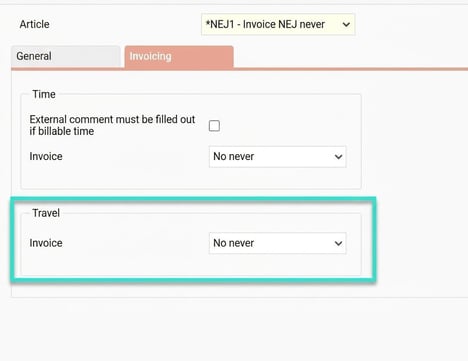
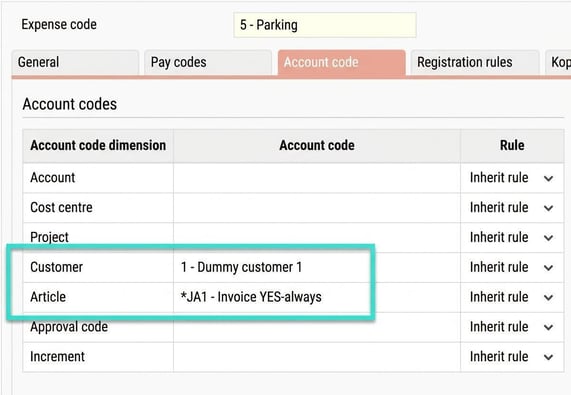
The expenses to be invoiced must also have CUSTOMER and Article to include the price (unless you have chosen to link the customer, for example, to a project). As you usually want to invoice the exact price/amount reported by the employee, no fixed amount is set on the article.
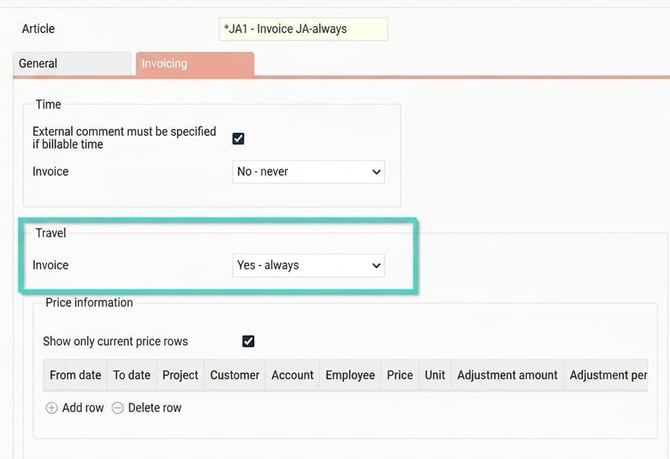
Example Expenses
Example expense Parking - should always be invoiced
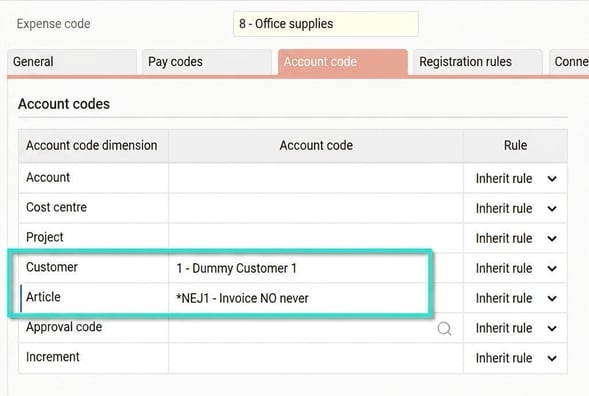
Example expense Office supplies - should never be invoiced
Example Mileage Claims
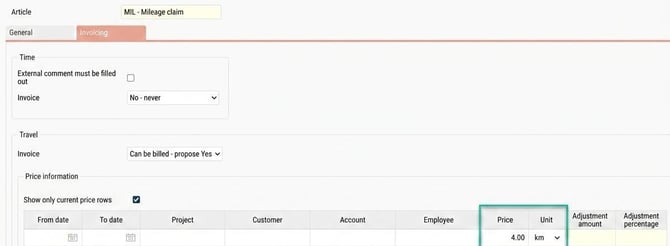
Article MILES
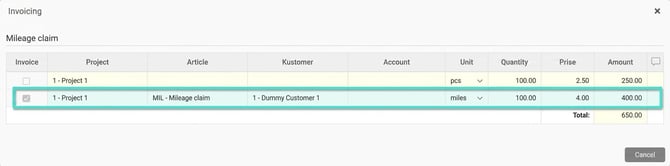
If, for example, you wish to invoice 4 SEK/km
Pay code 732 taxable mileage claim
Example Subsistence Allowances
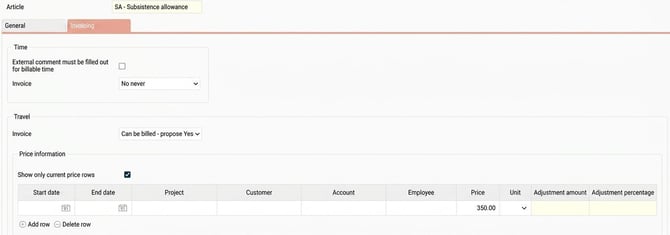
Article SA
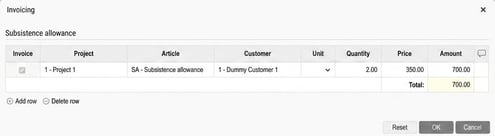
If, for example, you wish to invoice 350 SEK/night. If no price is specified, the same amount as the employee is paid will be invoiced.
Pay code 760 tax-free subsistence allowance
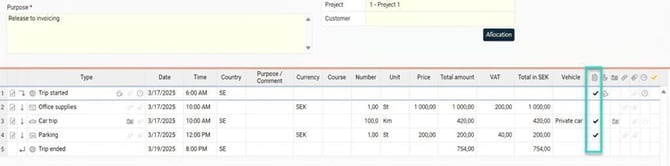
Example Travel expense claim using the above examples
SA 350 SEK/night
Mileage claim 4 SEK/Km
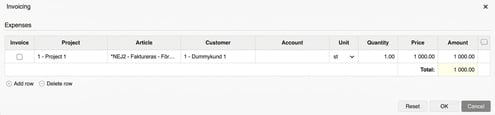
Expense office supplies are not invoiced (no invoice tick box)
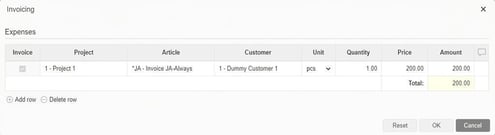
Expense parking 200 SEK
Tip! If you want to read more about invoicing Click here
Please note: This article is AI-translated. This means that linguistic errors or misunderstandings may occur.