
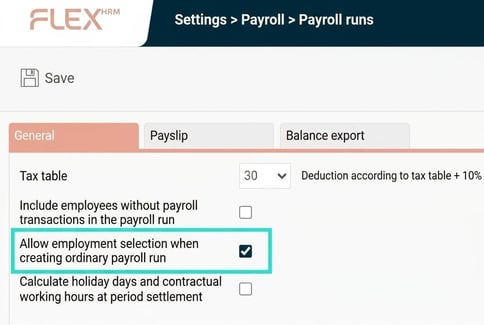
When creating a new payroll run in Flex HRM Payroll, it is standard practice that you cannot select employees based on employee number; this is to avoid the risk of missing an employee. This option is only available when you create an extra payroll run. However, in certain cases you may want to make a selection of employees in an ordinary payroll run as well. To do this, you need to activate a setting.
You’ll find the setting in the menu Administration > Settings > Payroll > Payroll runs and it is called "Allow employment selection when creating an ordinary payroll run".
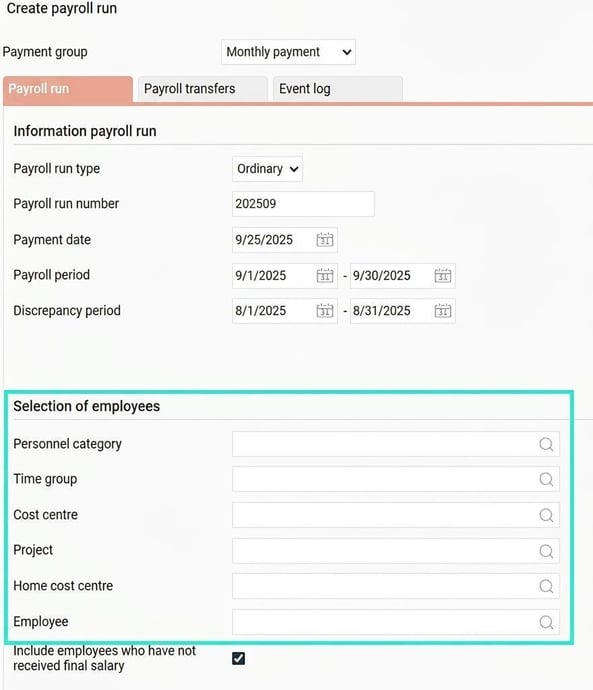
Once this is set, you can select employees when creating a new ordinary payroll run.
Please note: This article is AI-translated. This means that linguistic errors or misunderstandings may occur.