
In the travel expense claim, you can either delete individual transactions in a travel expense claim or remove the entire travel expense claim.
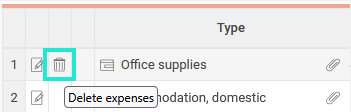
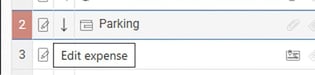
To delete individual transactions: Click the bin icon on the transaction line, or click the Edit expense/travel icon and select Delete.

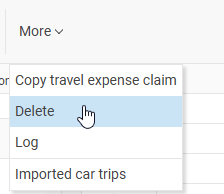
To remove the entire travel expense claim, select from the menu More function Delete
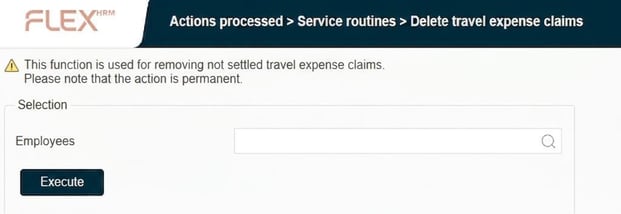
If you wish to delete a larger selection of travel expense claims, you can use the function Delete travel expense claims. This function is used to permanently delete travel expense claims according to the selection. With this function, the system deletes the travel expense claim, after which you can create a new one for the same period.
In the view Delete travel expense claims you can select specific employee numbers.
Please note
Be careful with your selection, as it is not possible to undo a delete travel expense claims.
We recommend running large selections at times when few are processing in HRM, as this may affect performance.
Please note: This article is AI-translated. This means that linguistic errors or misunderstandings may occur.