
Which app should I use?
The mobile app has previously been available HRM Mobile.
We are now creating a new, convenient and fast Flex HRM app with a completely new design.
The new app is being developed and will continuously gain more functions. You can read more about it in the article What is the Flex HRM app and why are there two apps?
| You can find the Flex HRM app in the App Store or Google Play Store. In the store, it is named Flex HRM. | 
|
|
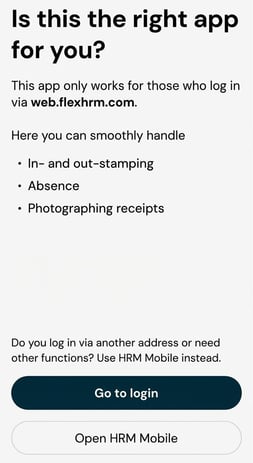
When you open the app for the first time, you will receive information about which features are currently available. You will then be given two choices:
|
|
Please note: This article is AI-translated. This means that linguistic errors or misunderstandings may occur.