
Expenses and entertainment - "Codes"
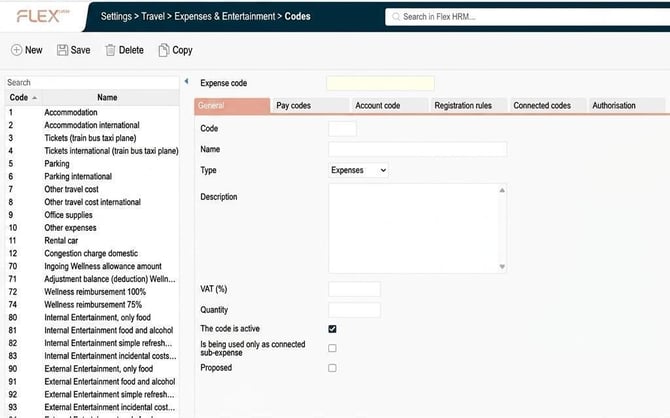
The tab General
Here you enter the code, name, type, VAT, quantity, and tick if the code is active, is being used only as a connected sub-expense, or is proposed.
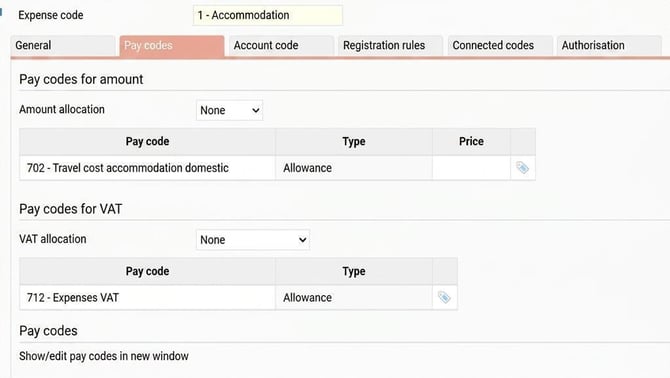
The tab Pay codes
Here you enter the pay codes and pay code for VAT connected to this expense.
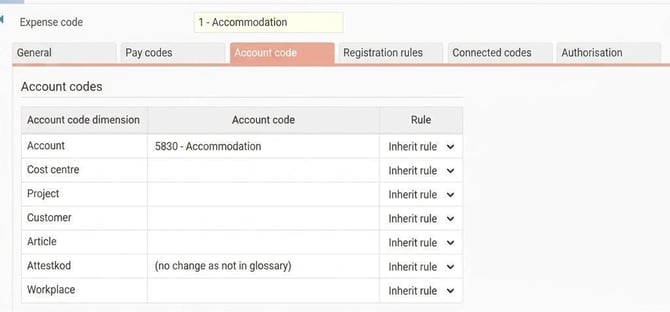
The tab Account code
Here you enter account codes connected to this expense, such as account, cost centre, project, customer, article, approval code. You also have the option to choose a rule for account code dimensions.
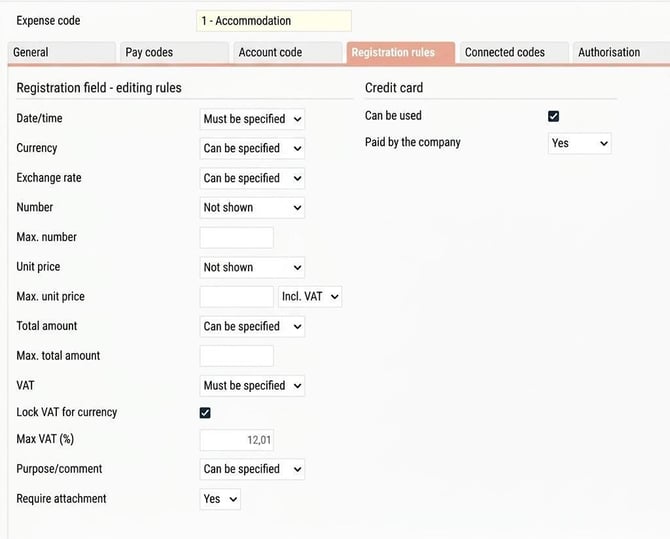
The tab Registration rules
Here you specify rules for registration of the selected expense code:
- date/time
- currency, exchange rate
- quantity
- max. number
- unit price
- max unit price
- total amount
- VAT
- max VAT (%)
- purpose/comment
- require attachment
- credit card
- Can be used
- Paid by the company
The tab Connected codes
Here you can, if needed, set that another code is to be triggered automatically when this code is used.

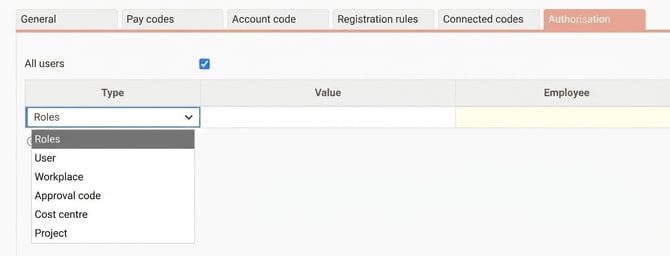
The tab Authorisation
Here you specify control of the authority for the code to only certain Roles or Users, etc.
The default value is "All users" activated.
Please note: This article is AI-translated. This means that linguistic errors or misunderstandings may occur.