
Reports can be generated on Absence part time from the following functions in Flex HRM
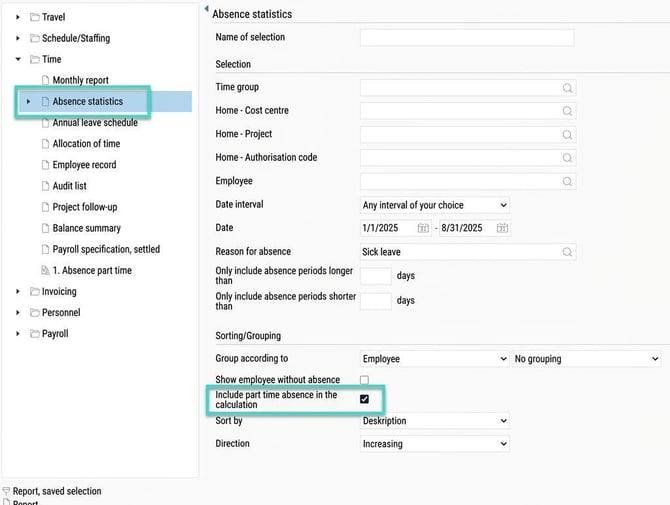
Standard report - Absence statistics
- Select date and reason for absence
- Tick the option "Include part time absence in the calculation"
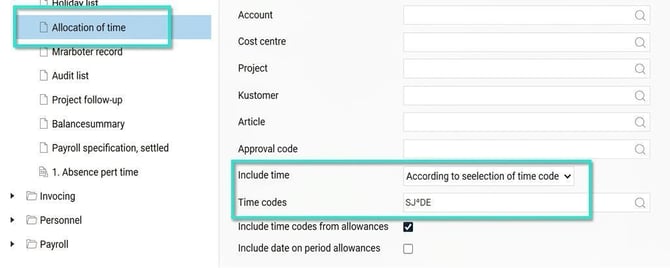
Standard report - Allocation of time
If a time code is entered in the time report to display Absence part time, the standard report Allocation of time can be used
- Create a selection for time codes relating to Absence part time, for example SJ*DE"
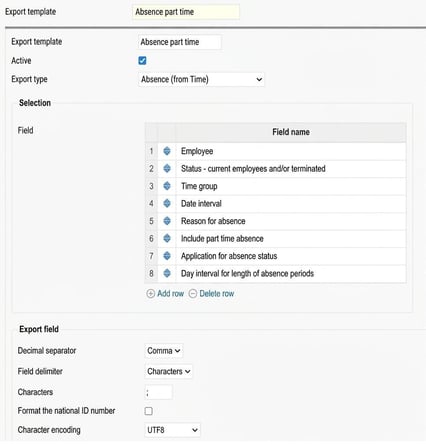
Export templates - Data source - Absence (Time)
Absence part time can be included according to the following Example on Export template
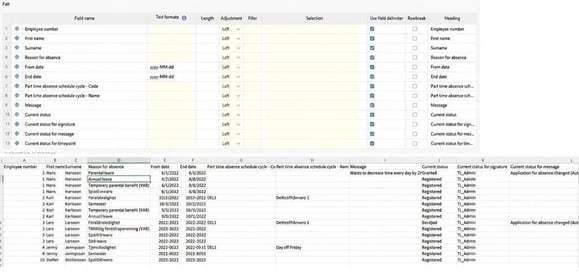
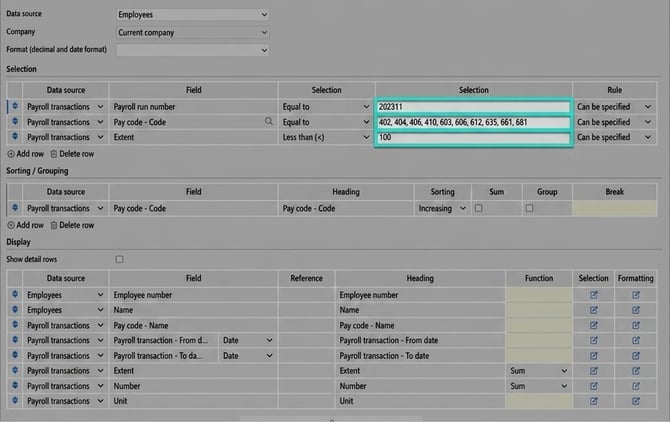
Report generator - Data source Employees/Payroll transactions
The Report generator can be used to export payroll transactions with Absence part time, once these have been imported to HRM Payroll. Selection is made on Current payroll run, pay codes for absence deductions, and extent less than 100.
Tip: Do you want to read about other settings in the system relating to Absence part time then click here.
Please note: This article is AI-translated. This means that linguistic errors or misunderstandings may occur.