
Set up two-factor authentication (2FA)
Security settings are required to be able to sign and approve payments.
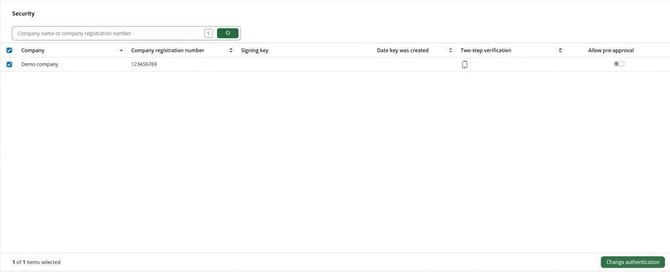
- In Autopay, go to Administration > Security
- Select your company from the list.
- Click on Change authentication and choose the authentication method you wish to use (for example BankID or an authentication app such as Google Authenticator).
- Follow the on-screen instructions to save.
Other functions under Administration
- Private keys: Used for banks that require additional codes for files (Finland and Denmark).
- Warnings: Handling of notes in Autopay, for example to disable warnings for new payees.
Related articles
Guide: How do I get started with Visma Autopay
Please note: This article is AI-translated. This means that linguistic errors or misunderstandings may occur.