
General
Formulas are written in a formula editor that suggests functions and variables that can be used as you write your formula. For example, via general events found under Settings > Time and Plan > General formulas for events.
Allocation and calculations are performed according to mathematical rules, and to assign a new variable a value, simply write as follows:
MyVariable = 1 + 2
A variable named "myvariable" is now created and assigned the value 3.
Decimal numbers can be written using either a full stop (.) or comma (,) as the decimal separator:
mydecimalnumber = 3.14
myotherdecimalnumber = 2,72
Text is written within pairs of double quotation marks:
mytext = "test"
You can also define lists of integers, decimal numbers, or text. These are written within square brackets ([, ]):
integerlist = [1;2;3;5]
decimallist = [1.0;2.5;3.3]
textlist = ["test";"another";"additional"]
Arithmetic operators and priority
You can use the following arithmetic operators in calculations:
+ Adds two numbers.
- Subtracts two numbers.
* Multiplies two numbers.
/ Divides two numbers.
When calculations involve multiple operators, this order of priority is used:
( ) parentheses
* / multiplication and division
+ - addition and subtraction
Example:
1 + 2 * 3 gives the result 7
(1 + 2) * 3 gives the result 9
Function formula
Within the system, there are a number of functions that can be used to retrieve information or perform specific tasks. Available functions may vary depending on the area of use.
To see which functions are available for the current area, click the "Function formula" button next to the editor.
Functions are used according to the following structure:
FunctionName(argument1; argument2)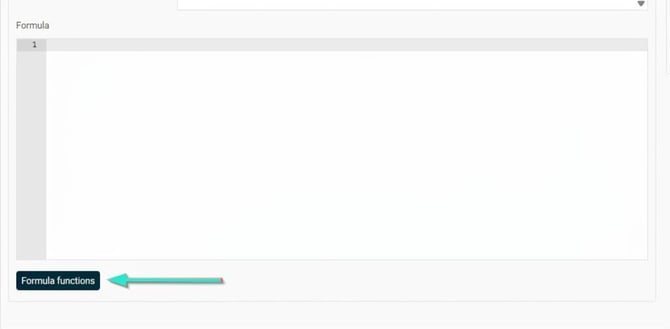
Comparison operators
There are possibilities to compare variables in HRM as follows:
== Equal to
!= Not equal to
<> Not equal to
< Less than
<= Less than or equal to
> Bigger than
>= Bigger than or equal to
Conditional statements
To create conditional allocations or control the flow in a formula, conditional statements are used. The syntax is as follows:
if a > 5 AND b == 0
c = 5
end if
In the example above, the variable c is assigned the value 5 if a is bigger than 5 and b is 0, otherwise no allocation takes place. Conditional statements are used for example to check that certain conditions are met before an action is executed, such as checking attendance to trigger a certain event.
if a > 5 OR b == 0
c = 5
end if
In the example above, AND is replaced with OR which means the variable c is assigned the value 5 if a is bigger than 5 OR b is 0, otherwise no allocation takes place.
Comments
You can also write comments in your formulas. Comments are not included in the calculation of the formula but can be used, for instance, to write explanations within the formula. A comment extends from the initial comment symbol to the end of the current row. Comments are written as follows:
With the leading // : //This is a comment
Mathematical functions
There is also a set of mathematical helper functions available. These include, among others:
Min(double, double)
Takes two decimal numbers and returns the lowest of them.
Max(double, double)
Takes two decimal numbers and returns the biggest of them.
Ceiling(double)
Takes a decimal number and returns the lowest integer that is bigger than or equal to the given decimal number.
Truncate(double)
Takes a decimal number and returns the biggest integer that is less than or equal to the given decimal number.
Floor(double)
Takes a decimal number and returns the biggest integer that is less than or equal to the given decimal number.
Bear in mind that formulas and events can be complex – if you have any concerns or questions, contact Flex for assistance and to book a consultant if needed.
Please note: This article is AI-translated. This means that linguistic errors or misunderstandings may occur.