
Under System register > Time clocks > Authorisation tab you can specify who is allowed to clock in on the selected time clock.
You can add and delete authorisations by clicking on Add row and Delete row. The authorisations can be specified per user, role and account code. The default for all time clocks is that all three tables are empty, which means that anyone can clock.
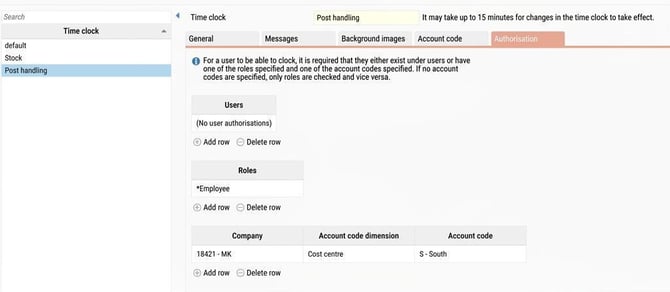
Example
In the image above, we have set the authority for the time clock Posthantering. Only users who have the role *Employee and are linked to an employee with home cost centre S in company 18421 can clock on this clock.
If a user who does not meet these criteria clocks, a message is shown stating that authority is missing.
Please note: This article is AI-translated. This means that linguistic errors or misunderstandings may occur.