
To help employees report expenses made with credit cards on time, you can enable a reminder function.
Go to Administration > Settings > General > Reminders.
Click on New.
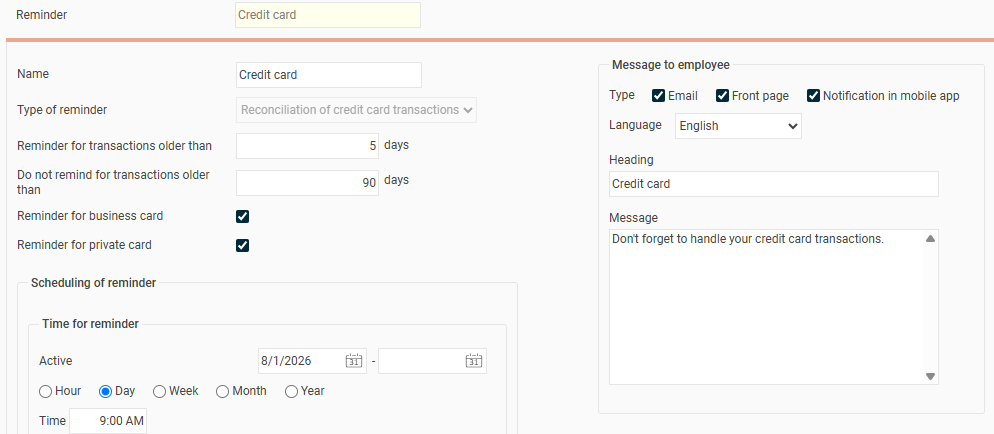
Under "Type of reminder" select Reconciliation of credit card transactions.
Specify how old the transactions should be before a reminder is sent to the employee.
Activate if the reminder should apply to Company cards and/or Private cards.
Specify how often the system should check if there are unreconciled transactions. For example, every day at 09:00.
Under the heading Message to employee choose which messaging functions to use, for example email, front page and notifications in the mobile app.
Write a heading and a message for the email sent to the employee.
Please note: This article is AI-translated. This means that linguistic errors or misunderstandings may occur.