
You can use Favorites in the allowances view to make it easier to enter allowance rows that you frequently register.
Marking a row as a favorite in allowances in the time report means it will appear in each new period with allowance code/time code, account codes, invoicing status, and external comment pre-filled, so you only need to enter the date and amount (depending on how the allowance is set up).
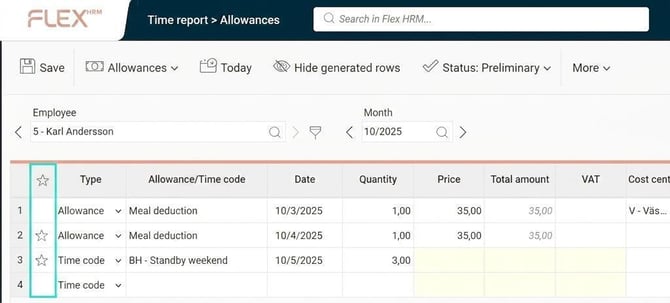
To mark a row as a favorite, click in the column with the star. If you no longer want a row to be a favorite, simply click the star again to remove it.
All favourite rows that appear in a new period are marked with a * next to the row number. Once you have entered information onto the row, such as amount or date, it will be saved and the * will disappear.
A similar favourites function is also available when you register allowances in HRM Mobile.
Please note: This article is AI-translated. This means that linguistic errors or misunderstandings may occur.