
Partial approval means to audit per time row. Often, employees certify their time report per day, a manager audits time rows coded to the projects they are responsible for, and another manager approves the entire time report for the month.
Note
Audit per time row is often called partial approval, and is usually based on the project of each time row, but this can be configured.
We use the term partial approval in this article, and work from time rows with projects. In your system, you can use partial approval on another account code level besides project (such as cost centre, customer, etc.).
Partial approval in the time report
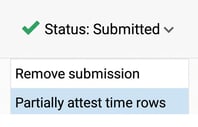
You can carry out partial approval directly within the time report under Status. You then approve time rows for a day or for a period (if you are in the monthly or weekly view).
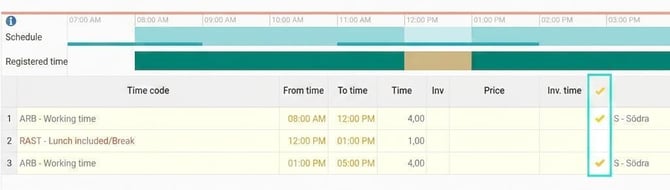
You can also approve per row in the time report in the designated column.
Partial approval in the audit view
The partial approval view provides an overview of all rows you are authorised to see and that are ready for approval. You can click on the plus sign to see details for each row.
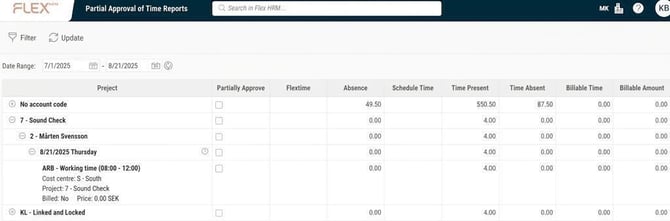
You can use the filter to make a selection based on project, choose whether to group according to project or employees, and show only approved or unapproved rows. If you have permission to audit rows not linked to a project, you can set these to be visible.
For rows to display in the partial approval view, they must be audited at the level required for approval (usually certified).
Please note: This article is AI-translated. This means that linguistic errors or misunderstandings may occur.