
Automatic calculation or manual processing
How the planned absence affects the calculation depends on how you work in the system:
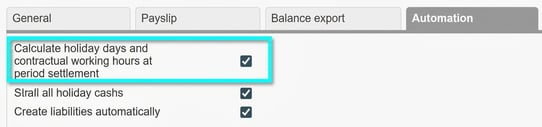
- When settling the payroll run: The calculation is performed automatically if the setting is enabled under Settings > Payroll > Payroll runs, tab Automation. When the payroll run is settled, the holiday days are updated automatically in the Employee register under the Annual leave tab.
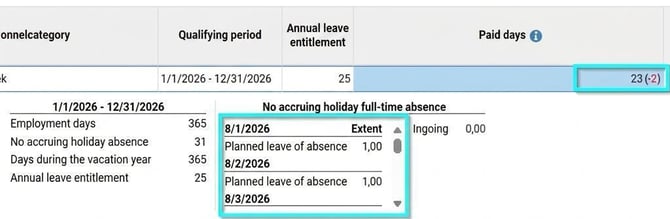
- In the calculation basis: If instead you work directly in the view Actions processed > Update vacation days and employment rate the planned absence appears as part of the calculation basis. As earlier, you can click to see the details of the calculation for Paid days to see exactly which absence is included.
Requirements for absence to affect the calculation
Please note the following regarding the absence being retrieved:
- The function only fetches absence applications that are authorised and approved in Time.
- Only absence that wholly or partially may be no base for accruing holiday affects the calculation, i.e. the setting on the reason for absence is either no base for accruing holiday or contains thresholds for when it becomes no base for accruing holiday.
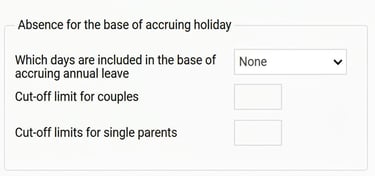
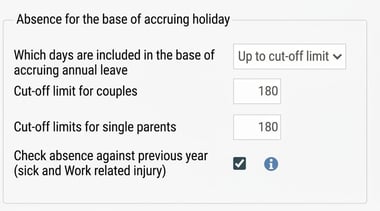
Please note! If you make current payroll deductions for absence that is no accruing holiday absence, this needs to be registered with a separate reason for absence in Time where the reason for absence is set to All days are base for accruing holiday so that it does not affect the holiday calculation.
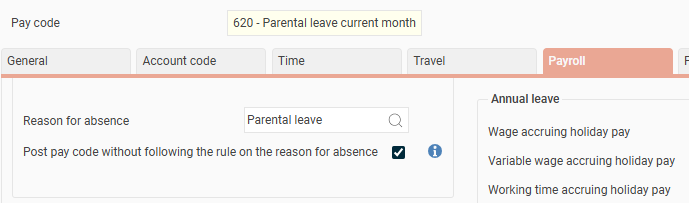
E.g. reason for absence Parental leave current in Time.
Setting under the Payroll tab:
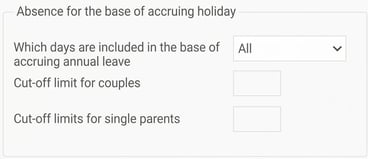
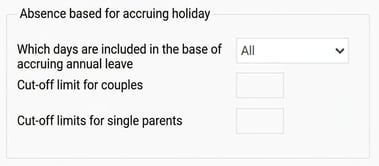
On the pay type for the current deduction, link instead the reason for absence Parental leave which has settings with threshold limits for what is base for accruing holiday.

Combined overview in the calendar
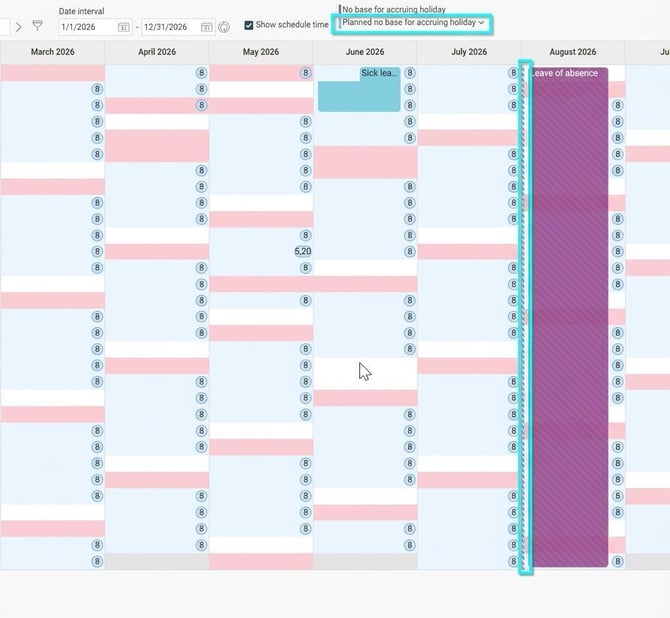
The planned absence from HRM Time is displayed together with the payroll-reported absence in the calendar in HRM Payroll. The calendar gives you a consolidated view of the absence information that affects the holiday calculation. With planned absence entered, you get a more complete overview without needing to switch between modules to get the full picture.
Licence information: This function is available for customers who have a licence for both HRM Payroll and HRM Time. If the Time module is not being used, accrued holiday is only calculated on the no accruing holiday absence that has been calculated in the payroll run.
Please note: This article is AI-translated. This means that linguistic errors or misunderstandings may occur.