
Rules
Assign rules
Example
Rules
With the help of a standby regulation, HRM Time can automatically calculate and generate standby allowances in the view of the time report Allowances.
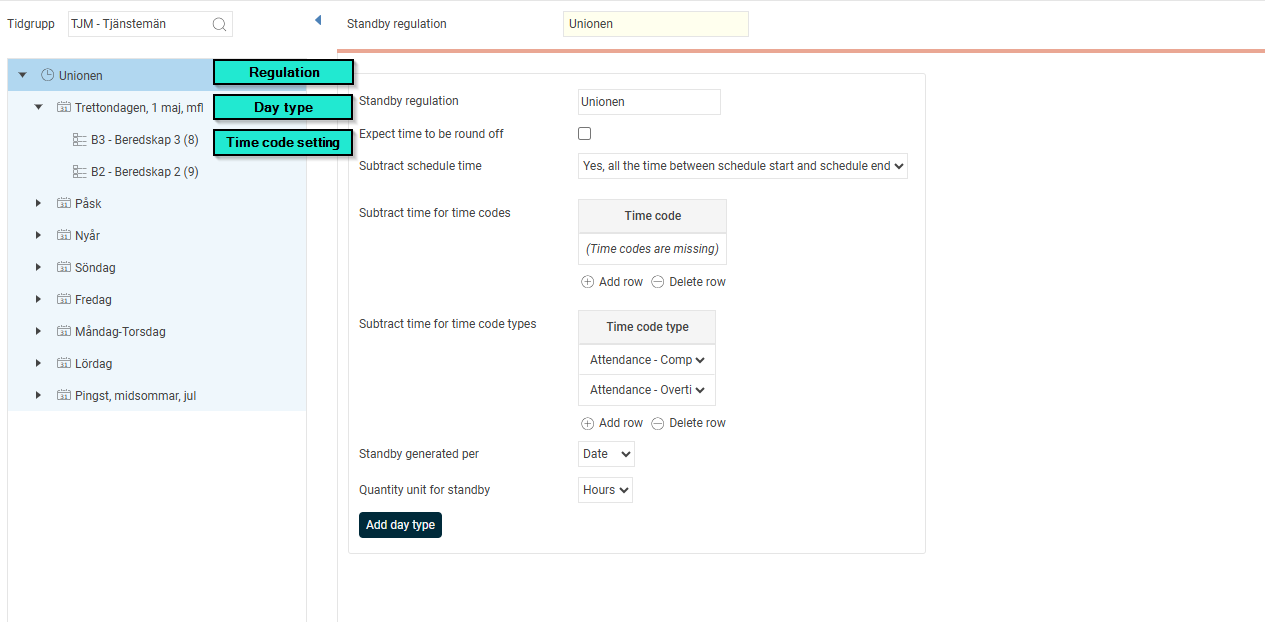
Under Standby regulation standby regulations are created per time group. The regulation is created in three levels: Rules, day type, time code setting. In the image below we have the regulation Unionen, the day types as well as the time code settings B3 and B2.
On the Rules level you can make basic settings that apply to the entire ruleset:
Expect time to be round off
If this box is ticked, the time to be deducted from standby will take these rounded times into account (via time code rounding). For example, if the employee has been called in and has worked for an hour but is entitled to allowance for three hours. If you have this setting ticked, three hours of the standby allowance will then be deducted. If you do not have the setting ticked, only one hour is deducted.
Subtract schedule time
Here you can specify if, and to what extent, the scheduled time is to be deducted and thus not generate any standby allowance by selecting one of the three options in the menu:
| No | Scheduled time is not deducted from standby compensation. |
| Yes, all time between schedule start and schedule end | If the schedule is 08:00–17:00 with a break from 12:00–13:00, 9 hours will be deducted from the standby compensation. |
| Yes, the schedule's standard working hours | If the schedule is 08:00–17:00 with a break from 12:00–13:00, 8 hours will be deducted from the standby compensation (the break is therefore counted as standby). |
Deduct for time codes/time code types
Here you select (by time code or time code type) which time codes, when they are reported in the time report, are not to generate standby. This can be used when the employee is not to receive standby allowance for time where overtime has occurred.
Standby generated per
When standby is generated in Allowances you can choose whether it should be generated per date or be accumulated for the whole period.
Quantity unit for standby
Here you select whether the number of hours or days the employee is on standby will give allowance.
The Day type level is used to specify when the rules should apply. You can specify weekdays and deviating days (such as that weekend allowance should be triggered on Christmas Eve, even if it falls on a weekday).
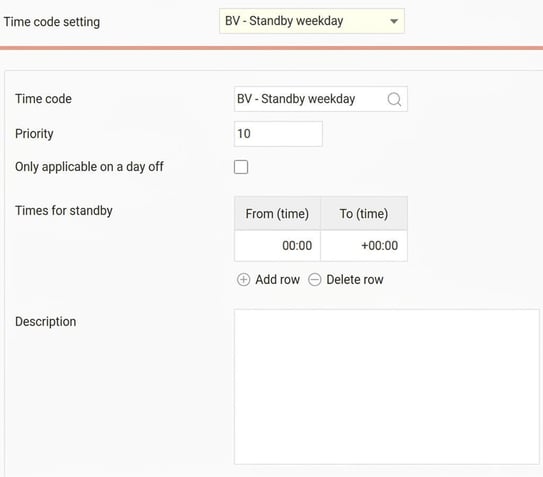
On the Time code setting level, you specify which time codes should apply based on the time of day. In the image below, BV is set to apply the entire 24-hour period, but for example, you could have a rule for a time code to apply 00:00-06:00 as well as 18:00-24:00, and another rule for a different time code to apply 06:00-18:00.
You can also tick Applies only on day off to specify that a time code setting should only apply on days when the employee is not scheduled for work.
Priority is used to determine which rule should apply if two rules overlap.
Assign rules
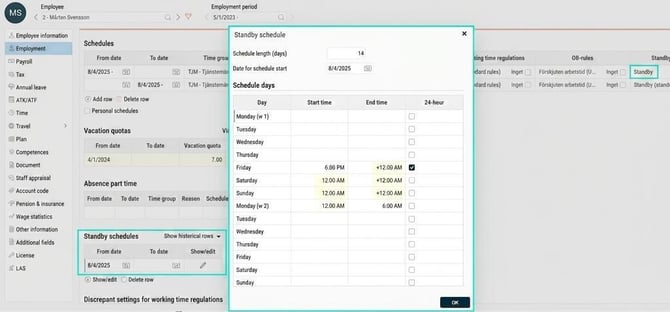
In the Employee register, the folder Employment you assign employees a standby regulation.
This means that when the employee is on standby, the allowance is triggered according to this set of rules.
For the employee to be on standby in their schedule, you must also schedule this. Do so on the same folder, under Standby schedules. Here you specify how the standby is to be scheduled, for example, every other week, and from which date the employee should follow the standby schedule.
Example
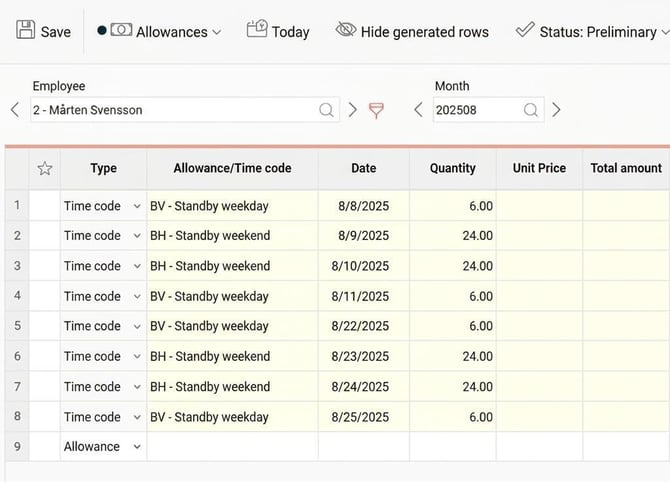
Employee 2 belongs to the standby regulation Standby. The regulation generates BV (weekday standby) Monday–Friday 00:00–24:00 and BH (weekend standby) Saturday–Sunday 00:00–24:00.
He is scheduled for standby to apply every other weekend, from Friday at 18:00 to Monday at 06:00.
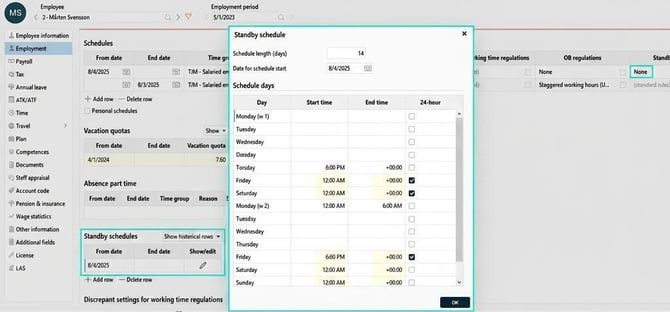
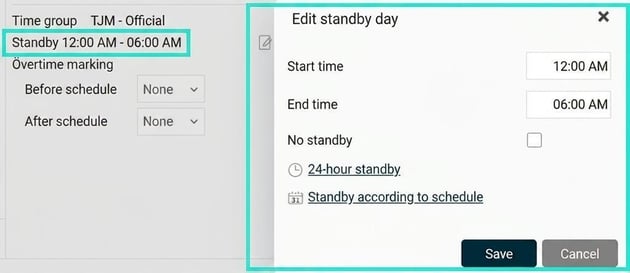
In the time report, you can see the standby times in the column Day information. Users authorised to edit standby days can open a popup here to change times for individual days
On the folder Allowances in the time report, time codes are applied according to the standby regulation and according to the employee's scheduled standby. In this example, six hours every other Friday and Monday, and twenty-four hours every other Saturday and Sunday.
Please note: This article is AI-translated. This means that linguistic errors or misunderstandings may occur.