
Edit of invoice data
Invoice data can be edited and approved in HRM before being transferred to your accounting system.
Activate “Edit of invoice data”
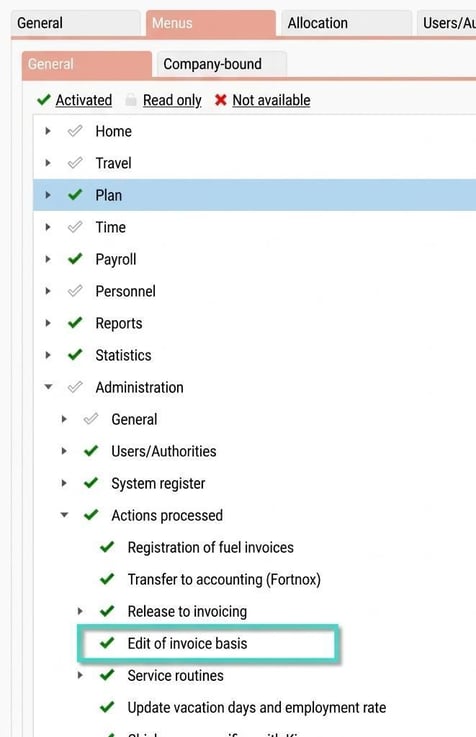
Under Administration – General – Roles, you set which roles will have authorisation to access the view “Edit of invoice data”, found under Actions processed.
Approval of invoice data
Activate “Approval of invoice data”
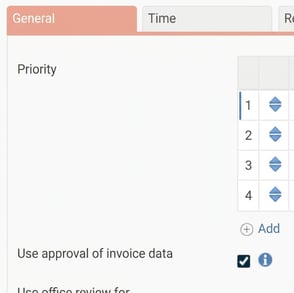
Under Administration – Settings – General – Invoicing, you can choose whether or not to use approval of invoice data. This means, for example, that a project manager or customer responsible can approve the invoice data rows before they are exported to the accounting system. Authorisation is required for the menu “Edit of invoice data”.
Settings - General - Invoicing
“Edit and approval of invoice data”
The view Edit and approval of invoice data appears as follows:

Here all rows in the invoice data released by invoice date and customer are displayed. You can make any necessary adjustments and approve the rows (if that function is being used).
Columns displayed in the view
You configure which columns to display in the editing view and their order under Administration – Settings – General – Invoicing.
Reset an edit
You can also reset all rows to their original values if you wish.
Comment on the edit
There is also the option to add a comment to your edit.
Approve invoice rows
There are functions to print the invoice data and approve all. If you change your mind about an edit, you can reset that row to its original value.
Authorisations for approval
You can also set whether authorisations should follow audit of account code (often called partial approval). This means that a user, for example, who is authorised to partially approve Project A will only see invoice rows for Project A. Otherwise, standard authorisations for employees are used. If a user has a role giving access to the editing view for Department 1, all invoice rows from employees in Department 1 will be shown.
Info about who has approved/edited a row
Under the info column, information is shown about who approved the row and when. If the row was edited, you can also see the original values there.
Tip! If you want to read more about invoicing Click here
Please note: This article is AI-translated. This means that linguistic errors or misunderstandings may occur.