
On the front page of Flex HRM, there is a panel called Reminders. Here, various types of notes are displayed, such as:
-
Reminders to audit time reports, travel expense claims and absence
-
Birthdays
-
Staff appraisal
Which reminders are shown depends on how you have configured the system.
Manage reminders
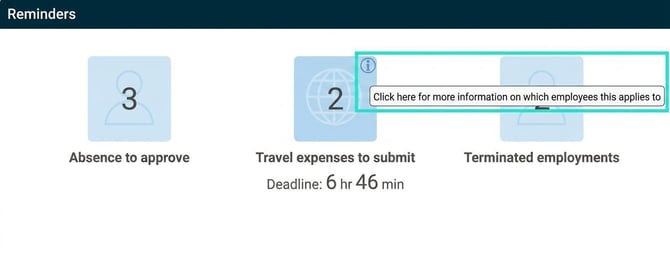
You can click on a reminder to view details. Some tasks, such as approving absence, can be managed directly within the panel. Others, like approving travel expense claims, can be clicked on to take you to the view where you can carry out the task.
For reminders with an information icon in the corner: Click on i to view details, click on the reminder to go to the view.
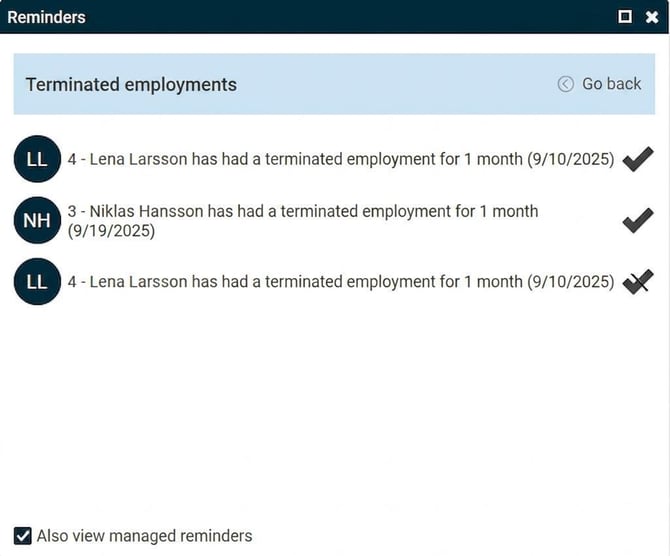
Mark as managed
|
Some reminders do not need to be managed in the system and are only an information update. If you want such a reminder to stop being displayed, you can mark it as managed. Click on the tick furthest to the right of the reminder to hide it. |
|
Reminders with a deadline
|
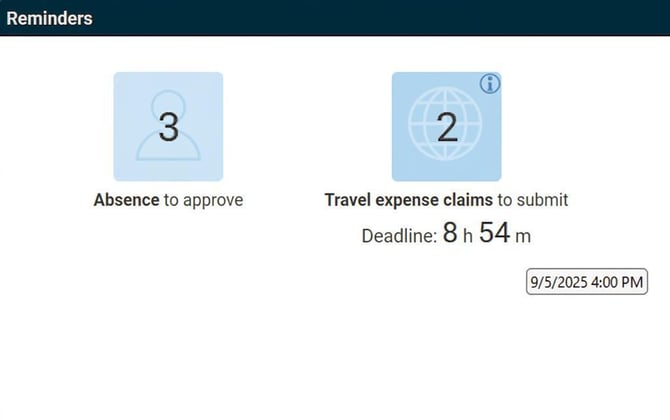
Reminders linked to a deadline, such as for example Final marking of time report, show how much time is left until the deadline. If you hover your mouse pointer over the note, you can see the exact time when the deadline expires. |
|
Please note: This article is AI-translated. This means that linguistic errors or misunderstandings may occur.