
Manage personnel categories
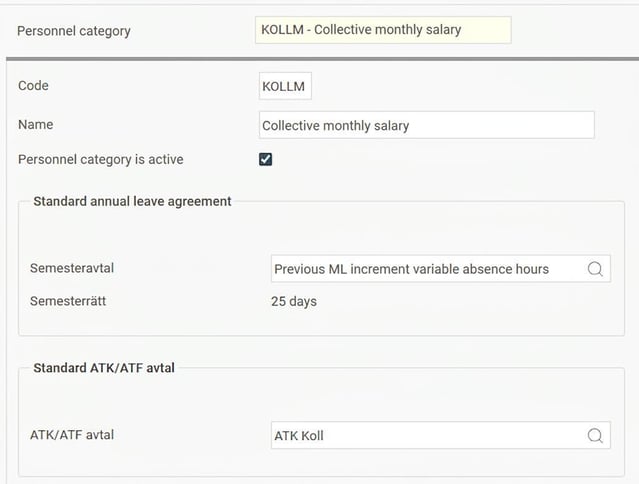
To set up personnel categories, go to Settings > Payroll and select Personnel categories.
You will then see a view where you can fill in the following fields:
-
Code: Specify a code for the personnel category.
-
Name: Enter the name of the personnel category.
- The personnel category is active: Tick for active categories. To deactivate a personnel category that should not be used, untick this field.
-
Standard agreement for annual leave: Select the annual leave agreement to be standard for the personnel category. The system will then link this agreement when you add a new person in the employee register who belongs to this category.
-
Standard agreement for ATK/ATF: Select the specific agreement for shortening of working hours if applicable.
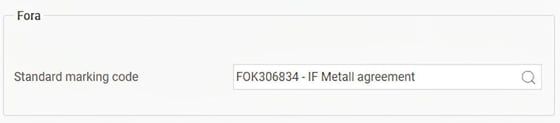
For employees covered by Fora, add the standard marking code to the personnel category that should be applied to the employees in that category.
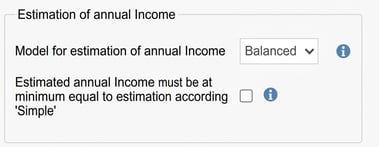
Model for estimation of annual income
Here you set which model should be used to estimate the employees' annual income.
Simple If the employee's wage type is monthly salary, the annual income is estimated as: Monthly salary x 12.2. For hourly wage, the annual income is estimated as: Hourly wage x 2080 (which corresponds to a standard annual working time).
This model is suitable for employees with little variation in their wage and who do not have any variable wage or other increments in addition to their base wage.
Balanced Annual income is estimated based on the gross wage and benefit paid so far during the year. Then, an estimation as per the Simple model is added for the remainder of the year.
This model becomes slightly more accurate as the year progresses, since it takes into account the actual paid wage.
Paid average The system calculates an average per month on the gross wage and benefit paid so far during the year. This average is then multiplied by twelve (12).
This model is suitable for employees with a large part variable wage. The forecast improves the more months are included as a basis.
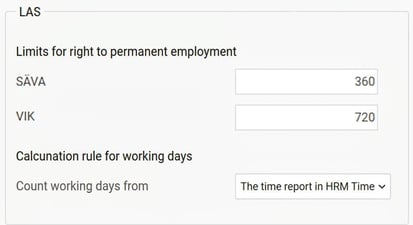
LAS
Set limits for right to permanent employment for the different types of employment SÄVA and VIK, as well as which calculation rule should be applied for work days. If the Time module is being used, work days are calculated from the time report in HRM Time. If time reporting is done in another pre-system, the calculation can instead be performed from a pay code in HRM Payroll. The pay code must then be imported from the pre-system and contain the number of work days to be included in the calculation in the number field.
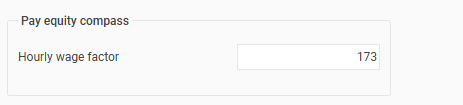
Pay Equity Compass
In the personnel category, specify the factor for hourly wage that is used for calculation of full-time salary in Flex HRM's Pay Equity Compass. The standard value is set to 173. You can adjust the hourly wage factor per personnel category to suit your collective agreements by changing the value and saving.
Please note: This article is AI-translated. This means that linguistic errors or misunderstandings may occur.