
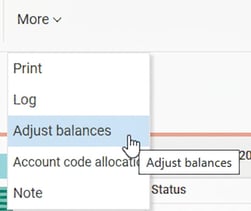
With this function, you can adjust existing balance values and set new balance values. Click on the button and the following window will appear:
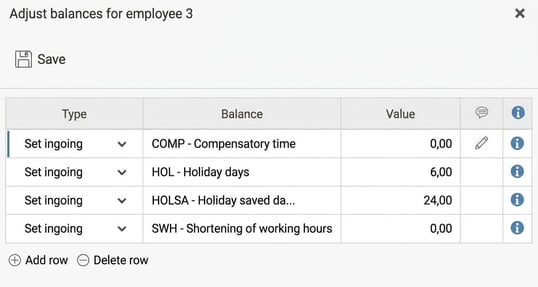
Specify the type of adjustment, which balance is to be registered, and the current value. The following types are available:
|
Adjust ingoing |
Select this type if you wish to adjust an ingoing balance value, for example the period's ingoing value for flex time. |
|
Adjust outgoing |
Select this type if you wish to adjust an outgoing balance value. |
|
Set ingoing |
Select this type if you wish to set an ingoing balance value. Note that any earlier value will be overwritten. |
By clicking on the speech bubble, you can specify or view any comments regarding the balance adjustment.
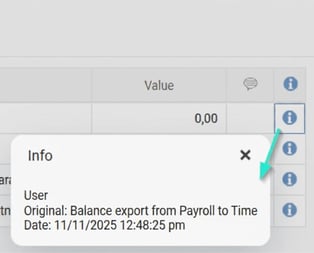
By clicking on the information icon on the right, you can see information about which user made it, at which point in time it was made, and the original source. The source can be either Manual, if a user has entered the row manually in HRM, Import, if the balance adjustment has been imported or balance export from Payroll to Time if the export comes from the payroll system.
Please note: This article is AI-translated. This means that linguistic errors or misunderstandings may occur.