
Please note that the Swedish Tax Agency normally uses the term "workstation" when describing the address of the workplace. In this article we use the word "workplace" as a synonym for "workstation", which means both terms refer to the same thing.
Account code dimensions

Register

Employee register

Workplace address in the PAYE return
Account code dimensions
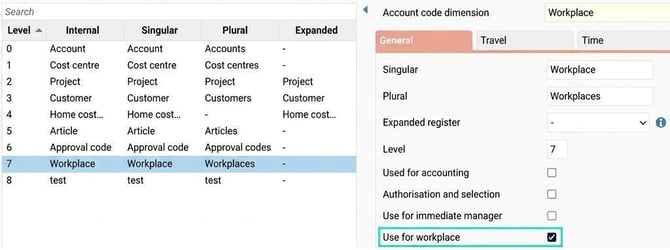
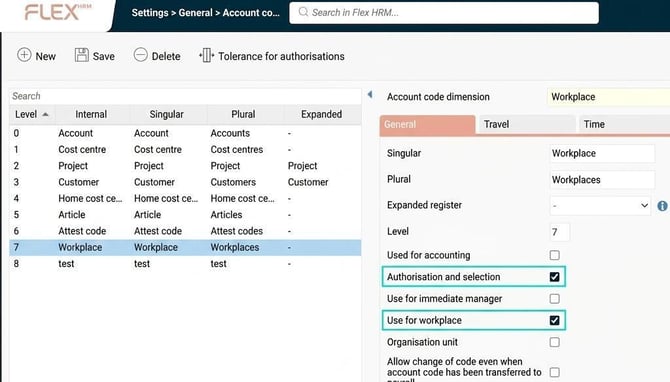
If you use Flex HRM Payroll, you enter information on employees' workplaces using a home account code. To activate the function for workplace, you need to decide which of your account code dimensions is actually workplace. You do this via Administration > Settings > General > Account code dimensions.
Please note that the account code dimension can be called anything, for example Workplace, Workstation or something else entirely. In our examples in this article, we have used the word Workplace for clarity.
Tick Use for workplace to activate the function.
Register
When the setting on the account code dimension is ticked to be used for workplace, new fields are enabled in the account code register to specify the address for each workplace in the register.
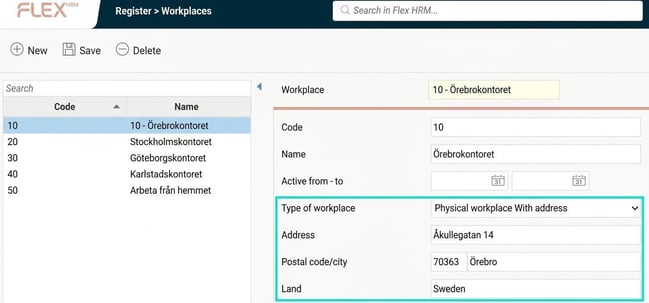
You can choose between the following types of workplace:
- Physical workplace With address
Used when the workplace is a physical location, such as an office or a factory. You then enter the address if it differs from the company's main address in the company register. - Work from home
Used when the workstation is counted from your home address. - No permanent workplace
Used when there is neither a physical workplace nor is the work counted as being from home.
Employee register
You can register or change workplace on both the Employment and Account code folders, depending on your authorisation and whether the change applies to the future or the past. A change on one folder automatically updates information on the other.
When you change workplace via the Employment folder, a dialogue window appears where you specify from which date the new workplace is to apply – only future dates can be selected here. You will then see both the current and upcoming workplace directly in the view.
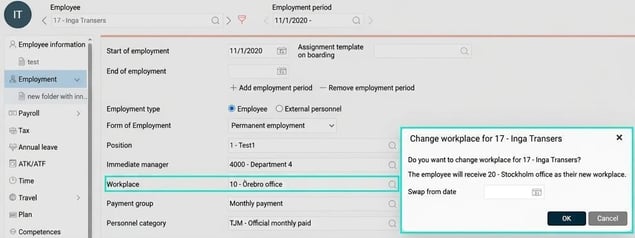
Upcoming new workplace is shown below, to the right of the field where you see the current workplace.

When you change workplace in the Employment folder, a new date interval is automatically created in the Account code folder, where existing account codes are transferred to the new interval. Please note that only in the Account code folder can you make workplace changes retroactively.
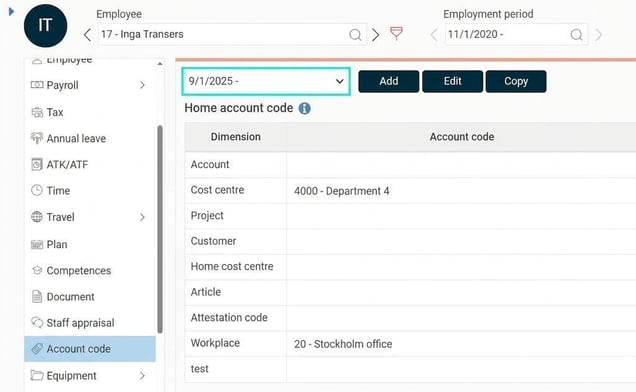
Since workplace in many ways works like a normal account code, you can both import and export employees' workplaces. You can also choose to activate workplace for selection in reports and authorisations, as well as use the assignment in various reports.
Workplace address in the PAYE return
As an employer, you need to provide information about the address and city for the workplace where the employee has had their workplace.
More information regarding workplace (workstation) in the PAYE return can be found at the Swedish Tax Agency.
The workplace's street address is reported in field 245 and the city in field 246.
Please note that if an employee has changed workplace during the month, no address should be reported to the Swedish Tax Agency.
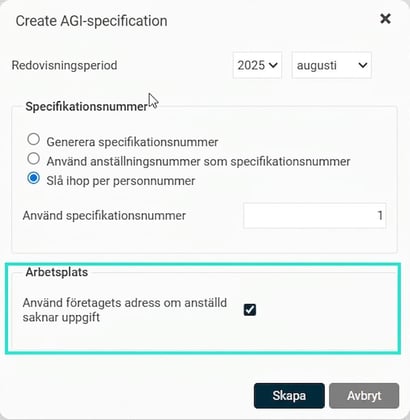
When creating the PAYE return base, there is also the option to use the company's address for employees who lack information on their workplace. This can be useful if all employees in the company work at the same place to avoid unnecessary administration.
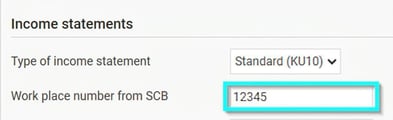
The employee's work place number is also reported in box 60 on the PAYE return. The number consists of one to five digits and can be found in the list you have received from Statistics Sweden (SCB) and is entered in the employee register on the Tax folder, in the field Work place number from SCB.
Related articles:

How do I work with PAYE return on individual level (AGI) in Flex HRM Payroll?
Please note: This article is AI-translated. This means that linguistic errors or misunderstandings may occur.