
Register attachment of earnings for an employee
When an employee has a decided attachment of earnings, you need to enter the details in the system so that the deduction is correct in the payroll process. You fill in information about the amount of the attachment, protected amount, and decision number in the employment register.
Here's how to do it:
-
Go to Personnel > Employees > Payroll.
-
Select the relevant employee from the list.
-
Find the fields for attachment of earnings (these are often located under the heading Other payroll info).
-
Enter information in the following fields:
-
Attachment amount: Specify the amount to be attached.
-
Protected amount: Specify the employee's protected amount.
-
Decision no. (attachment): Fill in the number of the decision from the Swedish Enforcement Authority.
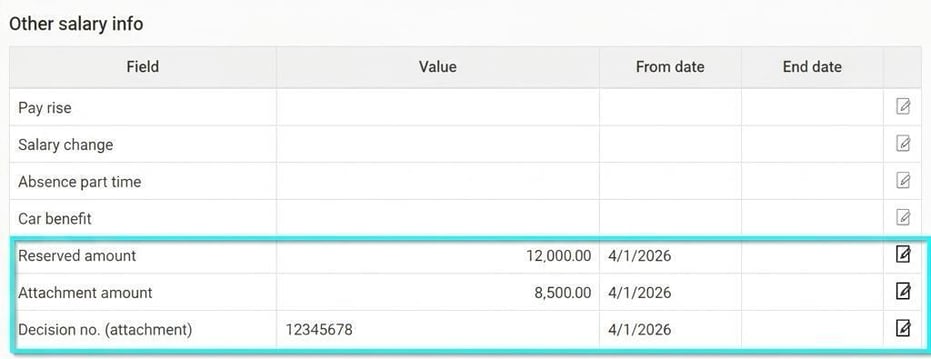
-
-
Click on Save.
Good to know: These fields are so-called "Additional fields" and may have different names in your set-up. If you do not find them under the folder Payroll they may be placed on another folder in your configuration of Flex HRM.
For the deduction for attachment of earnings to be made automatically in each payroll run, you need to add the pay code for attachment as a fixed transaction for the employee.
Here's how to do it:
-
Go to Personnel > Employees > Payroll.
-
Select the relevant employee from the list.
-
In the Fixed transactions table, click on Add row.
-
In the field Pay code, choose the pay code for attachment (the example shows pay code 930).
-
Check that the date intervals match the decision from the Swedish Enforcement Authority.
-
Click on Save.

In the report generator you can create a report to retrieve information about attachment of earnings in the payroll run for reporting to the Swedish Enforcement Authority. See an example of the report design below.
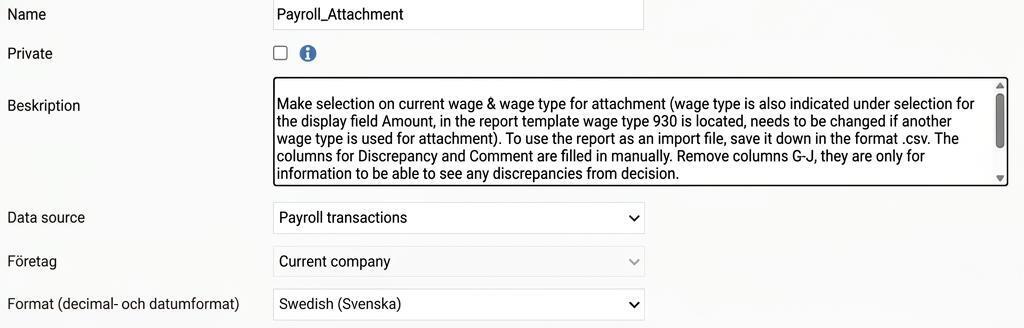


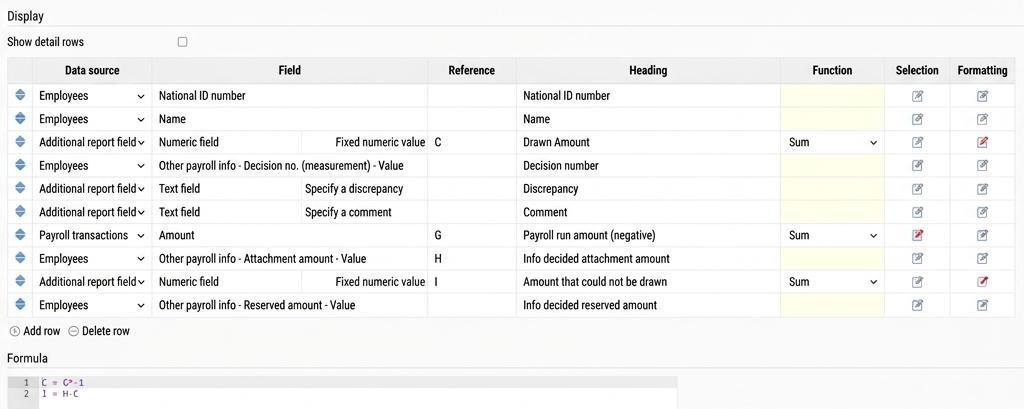
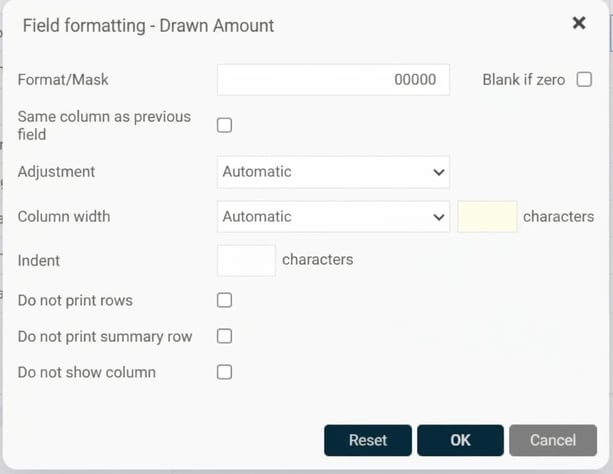
On the field Withheld amount, there is a formatting to set the value to five characters:
In the Payroll run amount (negative) field, there is a selection to fetch the withheld attachment amount from pay code 930:

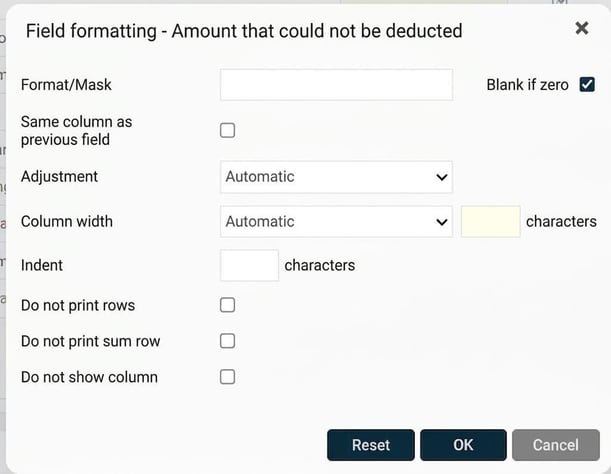
On the Amount not deducted field there is a formatting setting to clean the value if the result is zero:
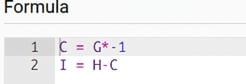
Reference columns C, G, H, I are used in the formula field to calculate the withheld amount as a positive value in the report (C, for the reporting to the Swedish Enforcement Authority) and to calculate the amount that could not be deducted due to the protected amount (I).
Please note: This article is AI-translated. This means that linguistic errors or misunderstandings may occur.