
General Schedule Import
You import schedules per employee and date, which means those fields are mandatory. In addition, there are many possibilities for import, for example, only importing with schedule start, schedule end and break length. In this case, a break is automatically added in the middle of the schedule.
However, there are opportunities to import almost everything you can do with an employee's schedule on a day in HRM. Below are the fields you can choose in the import template. Note that some require a licence for HRM Plan.
What you import will create a manual schedule change for each employee and day, which is equivalent to making manual changes here:
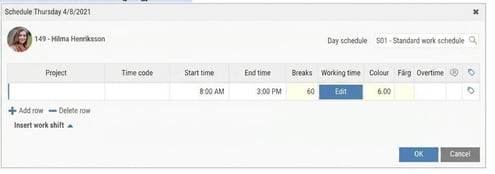
If the file contains two work shifts, it's advisable to use 'Fill the gaps with break.' But for this to work, there must be a standard time code for break (absence break) in the relevant time group, otherwise no break will be added.
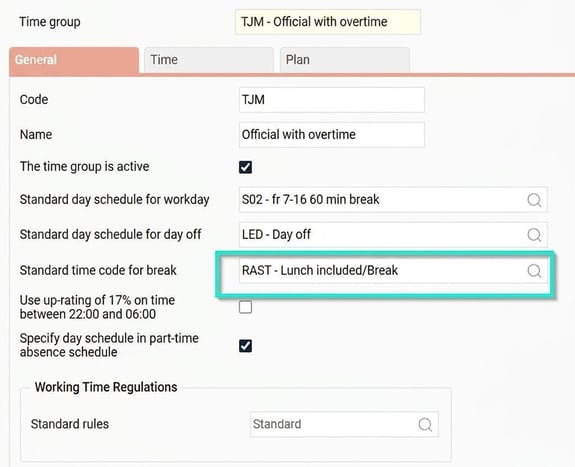
Note that the employee must be linked to a time group.
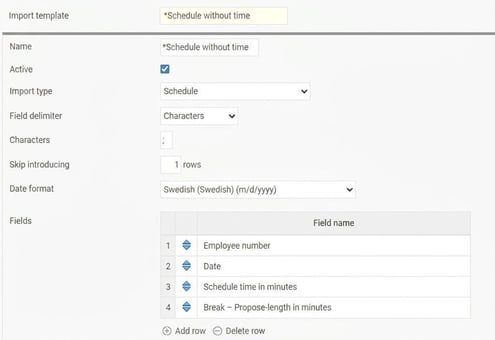
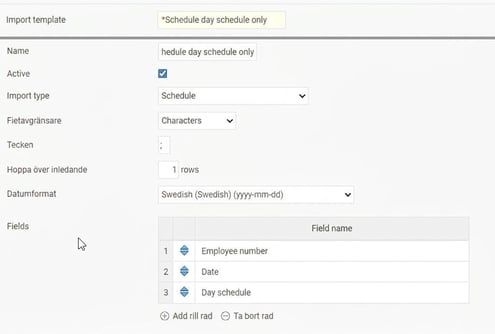
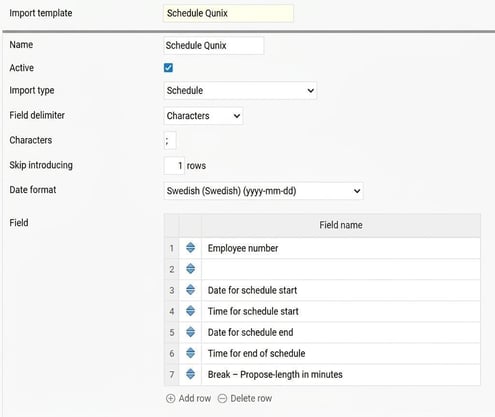
Example of various schedule import templates
schedule with date and day schedule
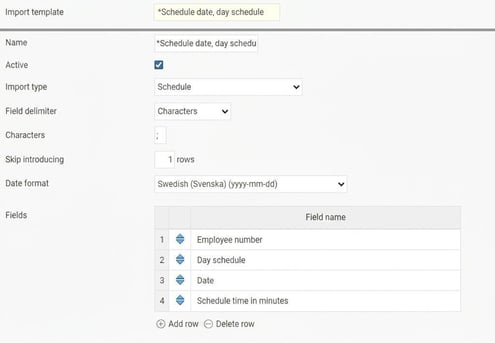
*Schedule with date and time
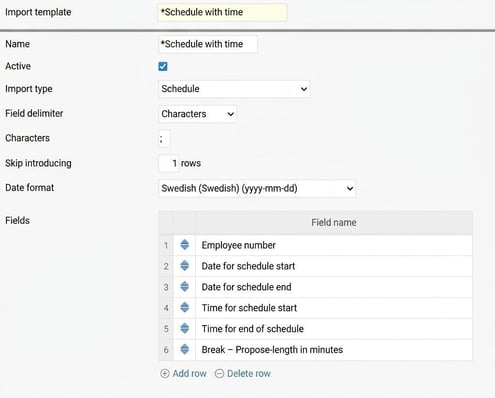
Schedule without time
Schedule with only day schedule
Quinyx Schedule
Please note: This article is AI-translated. This means that linguistic errors or misunderstandings may occur.