
To see how a payroll transaction has been calculated, do the following:
- Go to the payroll process view.
- Click on the row number furthest to the left on the relevant row.
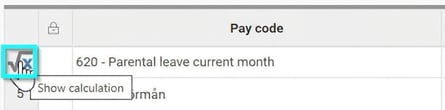
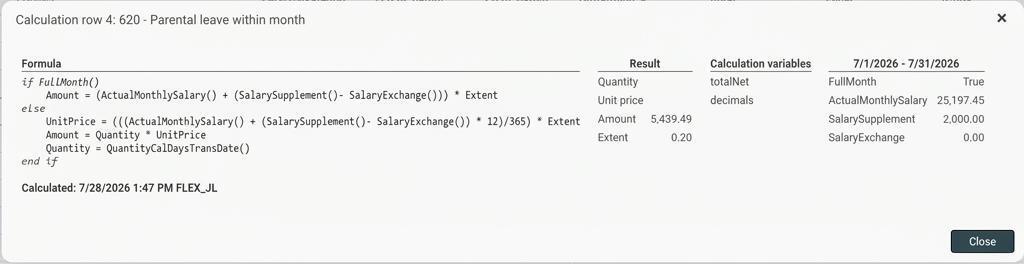
When you click on the row number, an information box will open. It displays:
- The pay code's formula
- The calculation result
- The values used for the various variables in the formula
In the following cases the formula calculation cannot be displayed:
- If the transaction is of the tax type.
- If the transaction lacks a formula.
- If the transaction has a formula, but is locked.
- For linked transactions (generated by another transaction via a formula).
Note: If you view details of a calculation in a settled payroll run, it is possible that the calculation displayed does not match how it was calculated in the payroll run. For example, this may be because the pay code's formula or the monthly salary has been changed afterwards, or something else affecting the calculation has been adjusted. The view shows current values.
Please note: This article is AI-translated. This means that linguistic errors or misunderstandings may occur.