
Absence is entered in the payroll run/registered via the absence manager, click on the Absence button.
This ensures that the system proposes the correct pay code based on the rules for the reasons for absence (e.g. working day deduction vs calendar day deduction/sick leave depending on where in the absence chain the employee is from day 1 onwards).
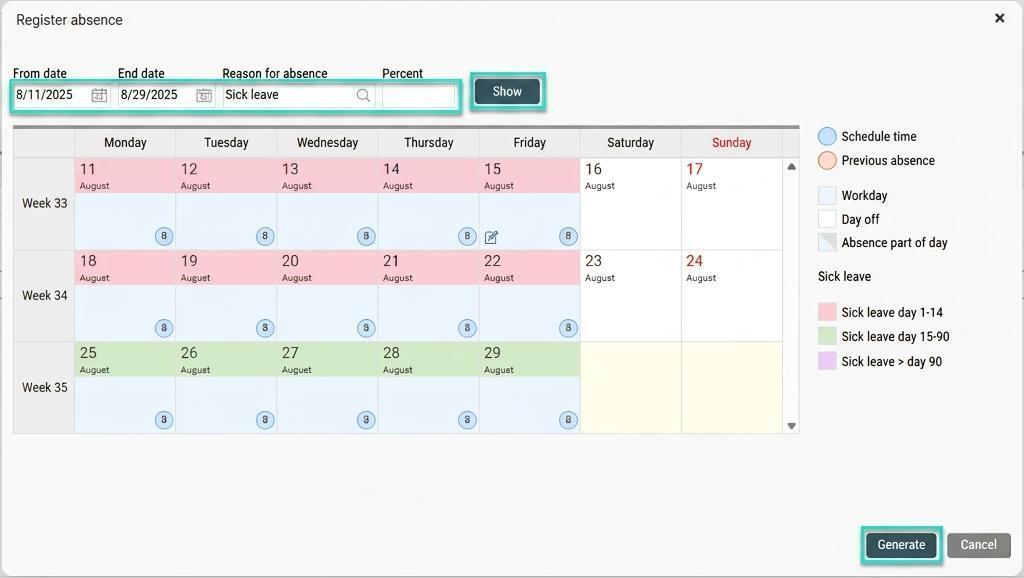
Specify date, reason for absence and extent in the absence window (if no extent is specified, the absence is calculated as 100%) and click on Show. You will then see the proposed deduction and enter this in the payroll process by clicking on Generate.
Please note: This article is AI-translated. This means that linguistic errors or misunderstandings may occur.