
-
Report car trips
You report your trips by going to the menu Travel > Travel expense claim.
Go to Travel expense claim.
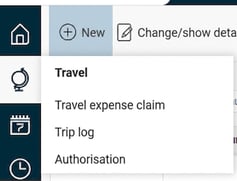
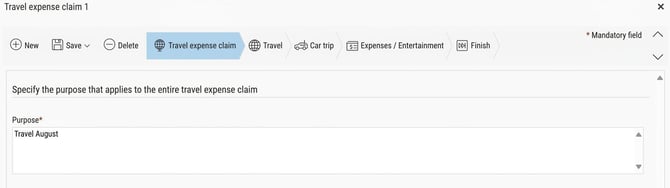
Click New and start by filling in the purpose of the trip and then click on Save. Then continue to the tab Car trip.
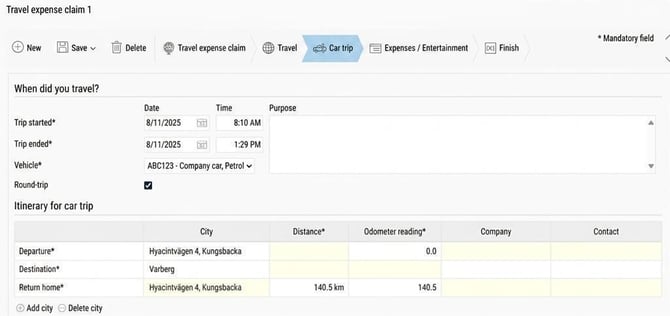
Enter the date of the trip, departure and destination town/city, which vehicle you used, and the distance travelled. If you visited several places along the way, you can enter your Travel itinerary.
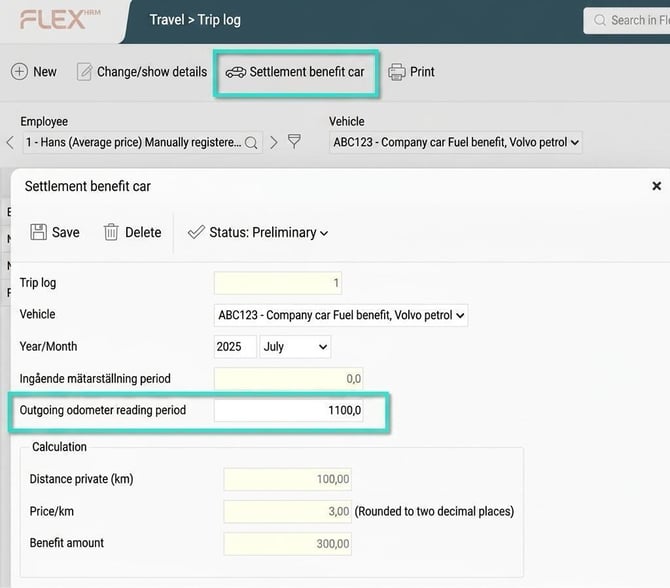
When all car trips for the month have been reported, you should Settle benefit car and specify odometer outgoing as at the end of the current month.

Go to Trip log
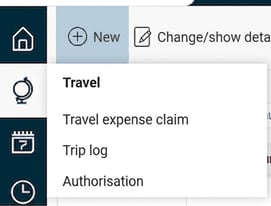
Select Settlement benefit car and specify odometer outgoing.
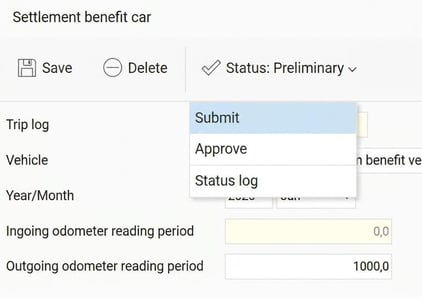
Don’t forget to Submit the settlement.
Please note: This article is AI-translated. This means that linguistic errors or misunderstandings may occur.