
Multiple Absence part time at the same time
Scenario where absence totals 100%
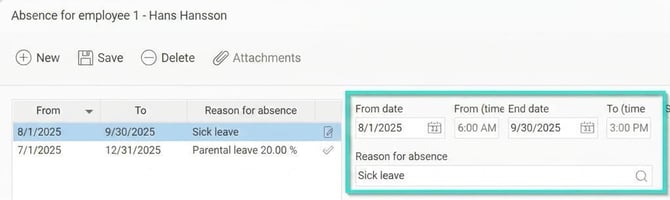
If an employee already has an absence part time and receives an additional absence part time, resulting in a total of 100% absence. For example, a current parental leave of 20% and sick leave for the remaining 80% – a total of 100% absence.
- Absence part time due to sickness should NOT be registered as an absence part time but as a normal absence
Scenario where absence totals less than 100%
If an employee already has an absence part time and receives another absence part time. For example, a current parental leave of 20% and sick leave of 20% – a total of 40% absence, i.e. less than 100%
Absence part time number 2 (sickness) should be registered as an absence part time and must have exactly the same start and end dates as the parental leave.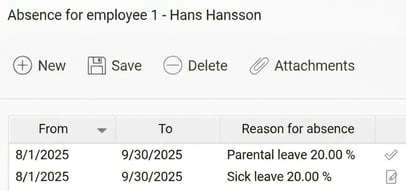
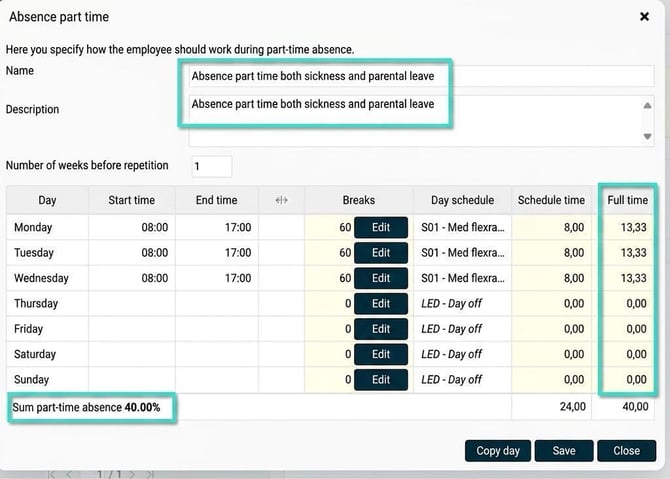
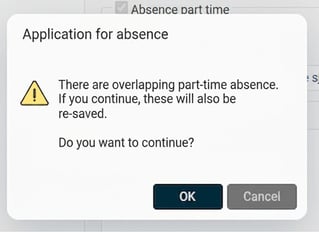
When saving, the system will notify you that the parental leave will also be updated to the same schedule
Afterwards, both absence part time periods will have the same dates and the same schedule
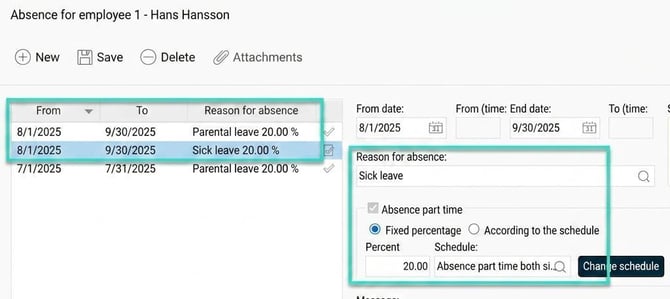
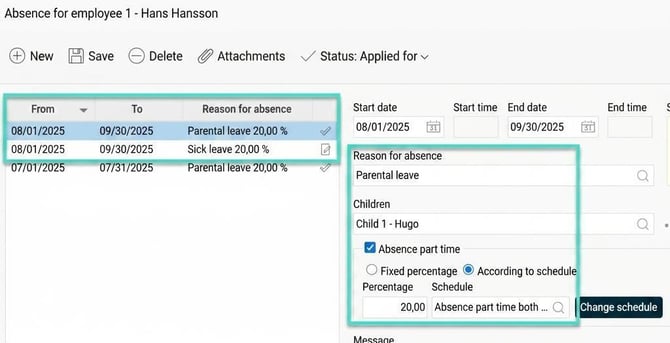
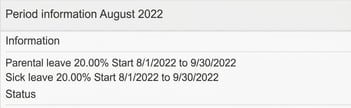
In the Period Overview in the time report it will look like this:
Day view
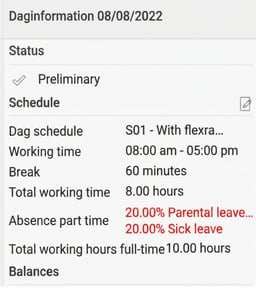
When transferred to HRM Payroll, 2 different absence types with a respective extent of 20% are generated.
Tip: Do you want to read about other settings in the system that relate to absence part time click here.
Please note: This article is AI-translated. This means that linguistic errors or misunderstandings may occur.