
In the time report, balances are displayed in decimal format. This means, for example, that 15 minutes is shown as 0.25.
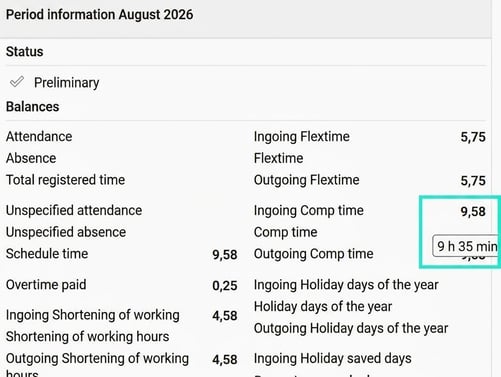
If you would prefer to see balance values in hours and minutes, hover your cursor over the balance. The value will then appear in hours and minutes in an information tooltip.
In the image below, the balance value 9.58 is shown as 9 hours and 35 minutes when I hover the cursor over the number 9.58.
Please note: This article is AI-translated. This means that linguistic errors or misunderstandings may occur.