

Under Personnel > Employees in HRM you will find the employee register containing employee information and other employment information.
Remove employment period
You remove an employment period via Employment - Remove employment period

If an employment period is removed, certain date-controlled fields will not automatically be deleted, such as new salary, contractual working hours, account codes or additional fields. These will need to be removed manually in the employee register. Be careful not to delete the wrong information and pay particular attention to any end dates that may have been set on date-controlled fields such as additional fields, payroll, etc.
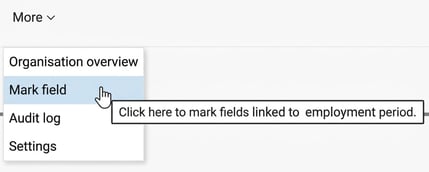
Under the icon More you will find the function Mark field which shows which fields are directly linked to an employment period. Other fields not highlighted are not directly linked and therefore need to be removed or managed separately.
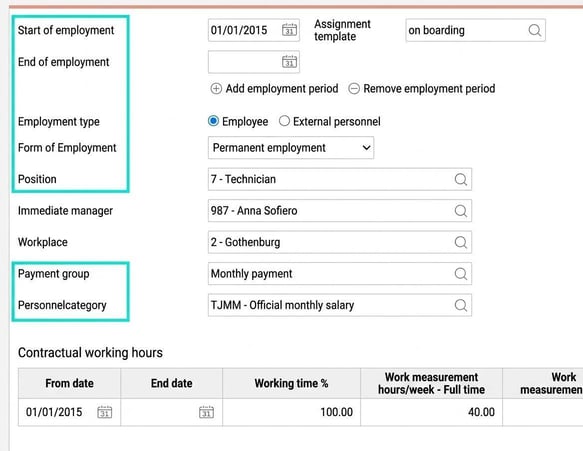
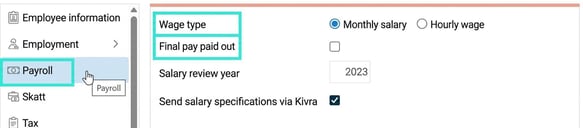
Note that in each respective side menu (Employment, Payroll, Time, Travel, etc.) there may be information directly connected to the employment period. You can see which these are by navigating between the various menus.
Related articles
How do I remove an employee?
Please note: This article is AI-translated. This means that linguistic errors or misunderstandings may occur.