
In the time report, you can use Clear day/Clear period to delete manual changes made in the time report.
If you want to clear a larger selection of time reports, you can use the function Delete time reports. This function is used to permanently delete time reports according to the selection. With this function, the system deletes the time report and then you can enter a new one for the same period. The new time report will then only contain the employee's schedule. All manual changes will be lost. If absence records exist in the absence manager, these will be posted.
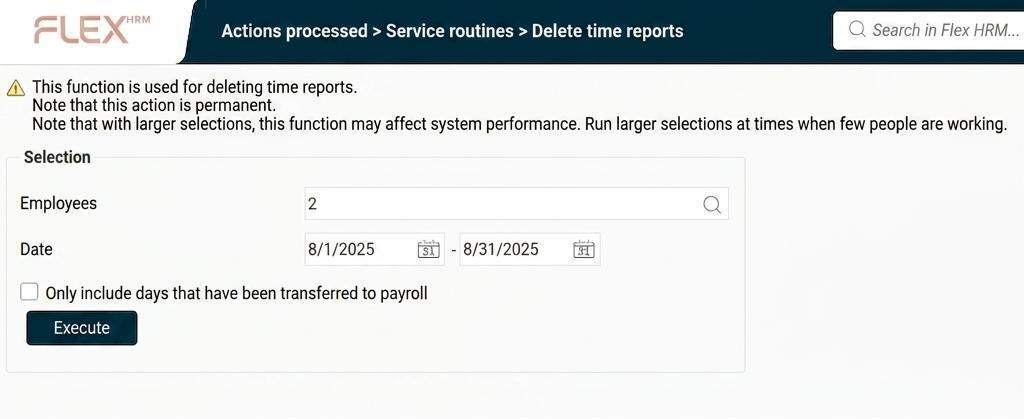
In the view Delete time reports you can filter by specific employee numbers and dates. You can choose to only delete days that have been transferred to payroll.
Please note
Be careful with your selection, as deleting time reports cannot be undone.
We recommend that large selections are processed at times when few people are working in HRM, as this may affect performance.
Please note: This article is AI-translated. This means that linguistic errors or misunderstandings may occur.