
Which app should I use?
The mobile app HRM Mobile has been available for some time now. We are currently developing a brand new, fast, and user-friendly Flex HRM app with a completely fresh design.
The new app is being developed and will continuously gain more functions. You can read more about it in the article What is the Flex HRM app and why are there two apps?
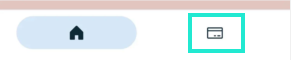
The view Expenses in Flex HRM app lists your expenses and trips, grouped by status and travel expense claim. You'll find the view in the bottom menu, click on the icon showing a bank card.
|
|
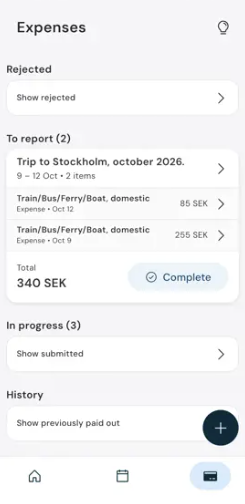
The overview is divided into sections:
- Rejected: Here you see expenses/trips that have been denied and that you need to manage. This section is shown at the very top so you don’t miss anything requiring your attention. Click on Show rejected to view expenses and the occasion for rejection.
The Rejected section is only displayed when you have a rejected expense claim. - To be paid out is displayed with a green background when expenses/trips are reviewed for payment. Once the payment date has passed, they are moved to History.
- To report: Here expenses/trips that you have not yet reviewed are shown.
The number shows the amount of expenses awaiting review. - In progress: Here you find expenses/trips that you have reviewed and that are waiting to be processed by your manager. The number indicates how many expenses are currently in progress. Click on Show submitted to see the whole list.
- History: Here you see expenses/trips that have been paid out. Click on Show earlier paid out to see your earlier allowances.
Create new expense
Click the plus icon in the bottom right to scan a receipt and register a new expense.
View details and edit
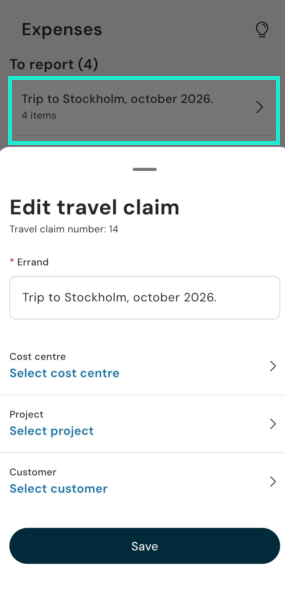
Expenses are grouped by travel expense claim. The overview displays the subject of the travel expense claim. If a subject is missing, the date of the travel expense claim's transactions is shown instead. Click on a row to view the travel expense claim number, as well as the option to edit the subject and main account coding of the travel expense claim.
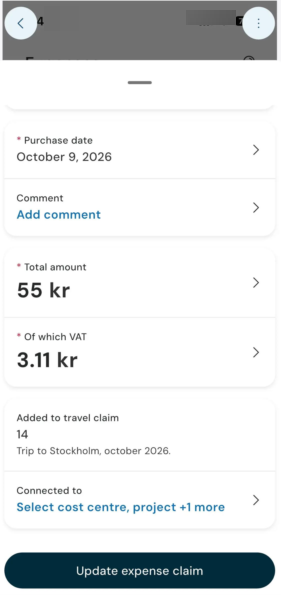
Click on an expense to open a detailed view with information about that specific expense. You can edit expenses that have not yet been reviewed in the detailed view. Make your changes and click Update expense claim. Click on the three dots in the top right corner if you want to delete an expense.
Trips do not have a detailed view; they are only shown in the overview, displaying the date, amount to be paid out, and for car trips, the mileage.
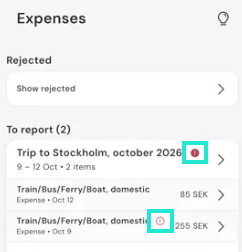
Do you see a red exclamation mark on the travel expense report row and/or on any of its entries?
This means that something needs to be adjusted before the travel expense report can be reviewed. Click on the row for more information and to make adjustments.
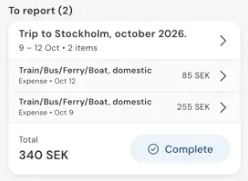
Complete travel expense claim
Click Complete to review your travel expense claim.
Why is the expense view not displayed?
If you do not see the menu Expenses you need to check your licence and your authorisation. For you to be able to see Expenses in Flex HRM app you must have a licence for HRM Travel and be authorised to register expenses. Read only access to expenses is not enough for you to see the view in the app.
The company must also have configured the use of Expenses & Entertainment under Settings > Travel > Travel expense claims > Travel expense view: Transaction types.
Please note: This article is AI-translated. This means that linguistic errors or misunderstandings may occur.