
Example pay codes 945 & 946
Allowance pay codes for wellness and VAT
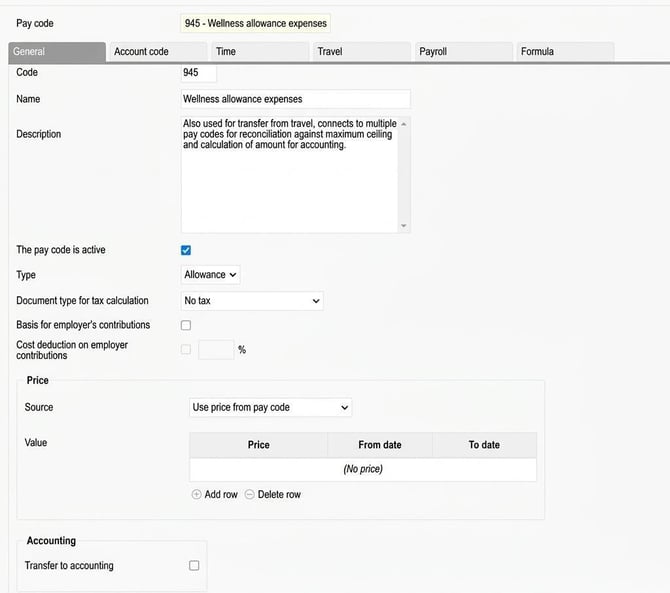
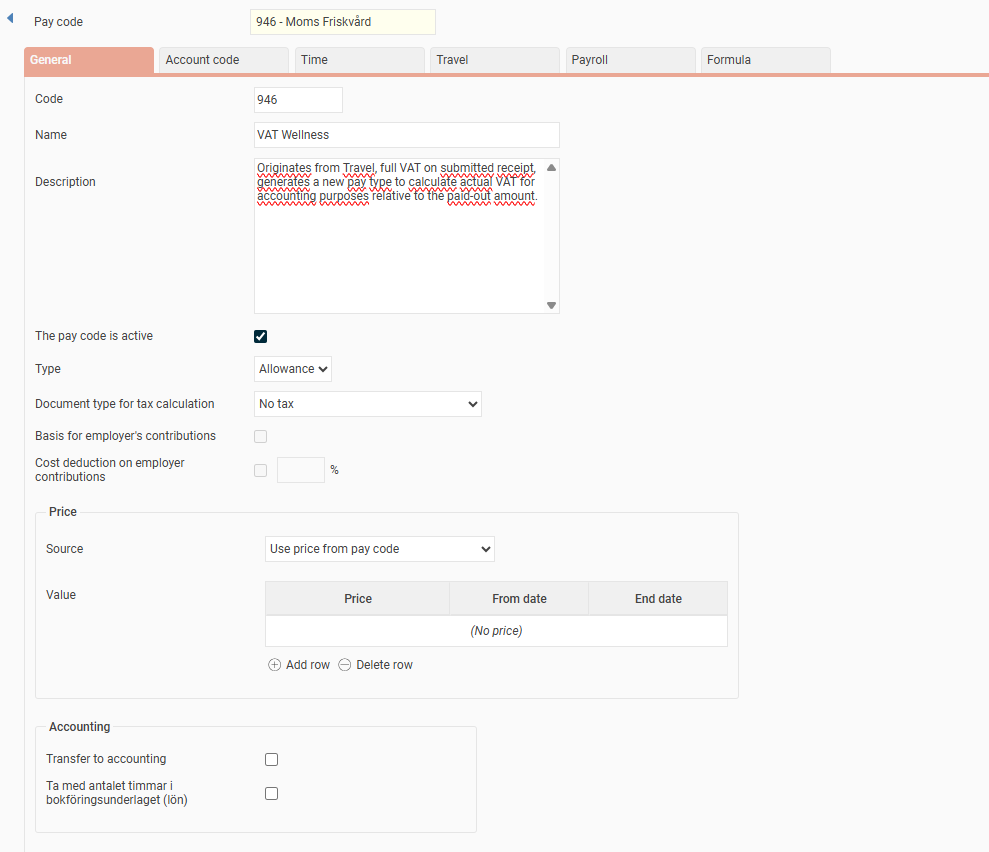
Pay code 945 (Wellness expense) and pay code 946 (Wellness VAT) are used to cover expenses and VAT for wellness.
- Usage: You link these pay codes to the wellness expense code to register the actual receipt amount in a travel expense claim. You can also use them to register the receipt amount directly in the payroll process.
- Setting: The pay codes need to be set as allowance pay codes. This allows the expense to be summed and shown as an upcoming amount to be paid out in the travel expense claim if you use the HRM Travel module.
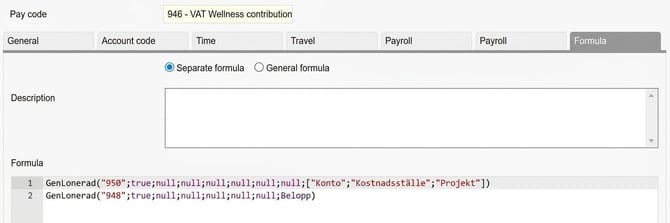
- Linked pay codes: Pay codes 945 and 946 then generate pay codes 947 and 948 as well as 950 and 951 (if VAT is to be booked separately, separate pay codes are needed for this).
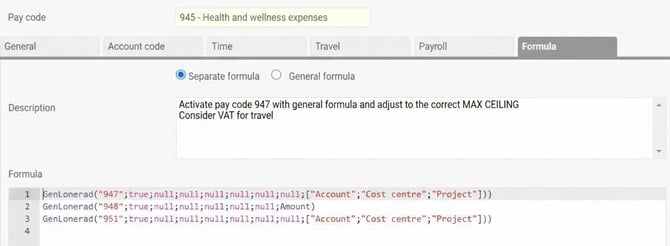
Pay code 947: Reconciliation against maximum limit and payment
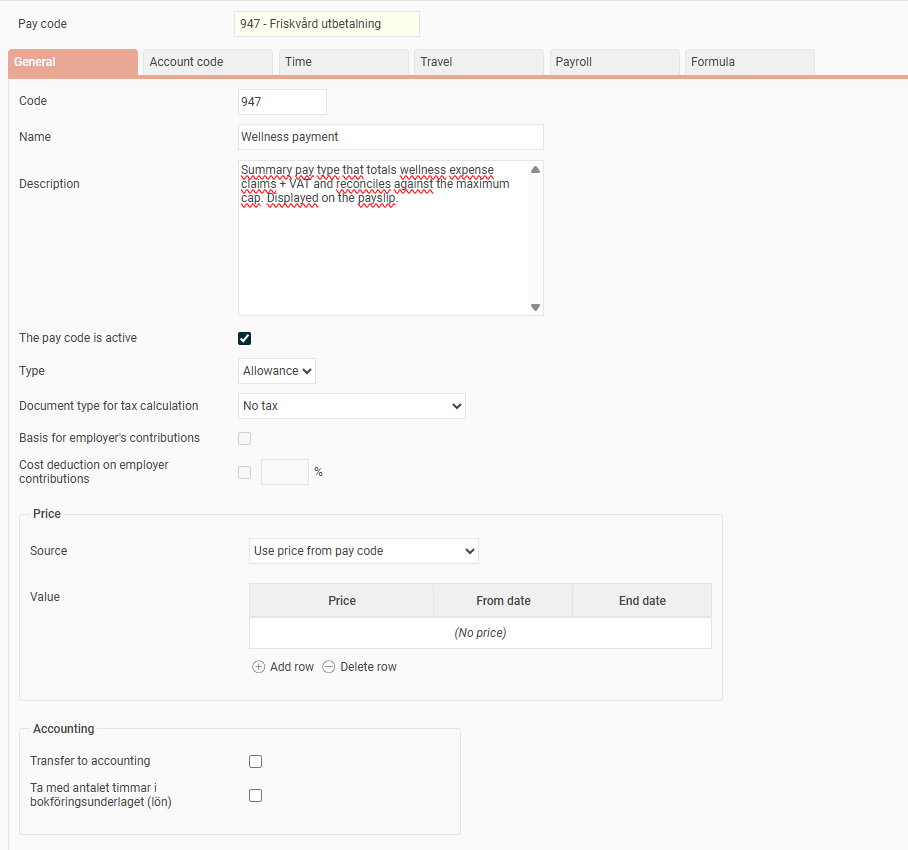
This is an allowance pay code that sums expenses and VAT, and reconciles the total amount including VAT against the company’s maximum limit and the ingoing accumulator for wellness (calendar year). The pay code generates the actual amount including VAT to be paid to the employee and is shown on the payslip.
You update the current maximum limit directly in the formula on line 1, or alternatively use a pay grade where the maximum amount has been added.
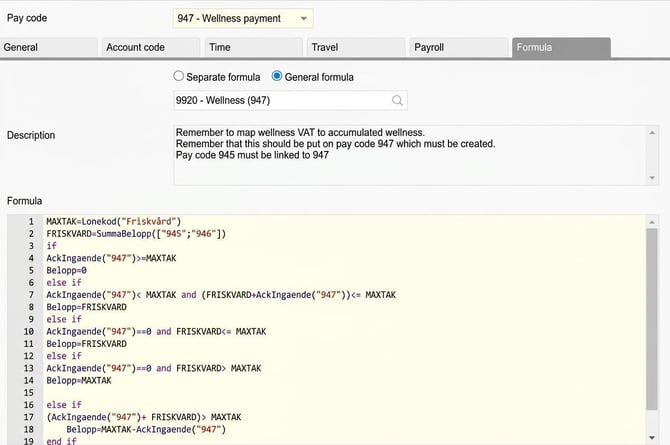
Formula: The formula sums the paid out amounts on pay codes 945 and 946 (to include VAT) and reconciles this both against the current maximum amount and the ingoing value in the accumulator for the calendar year’s paid wellness, in our example accumulator 947.
MAXIMUM LIMIT = 3000 (current maximum amount) alternatively Pay code (“Wellness”) where the maximum amount is entered.
WELLNESS=SumAmount(["945";"946"])
if
AccIngoing("947")>=MAXIMUM LIMIT
Amount=0
else if
AccIngoing("947")< MAXIMUM LIMIT and (WELLNESS+AccIngoing("947"))<= MAXIMUM LIMIT
Amount=WELLNESS
else if
AccIngoing("947")==0 and WELLNESS<= MAXIMUM LIMIT
Amount=WELLNESS
else if
AccIngoing("947")==0 and WELLNESS> MAXIMUM LIMIT
Amount=MAXIMUM LIMIT
else if
(AccIngoing("947")+ WELLNESS)> MAXIMUM LIMIT
Amount=MAXIMUM LIMIT-AccIngoing("947")
end if
Pay code 948: Adjustment of accumulator
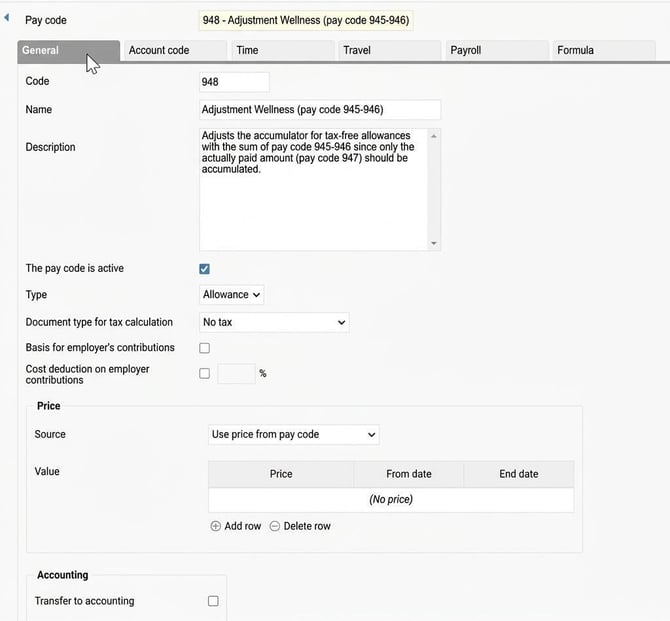
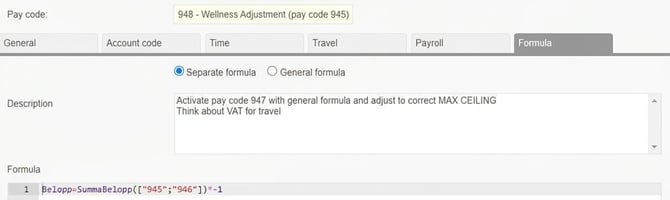
Pay code 948 adjusts the accumulator for tax-free allowances. It decreases the accumulator by the amount coming from pay codes 945 and 946, since pay code 947 also increases the same accumulator.
Pay codes 950 and 951: Transfer to accounting and updating the balance
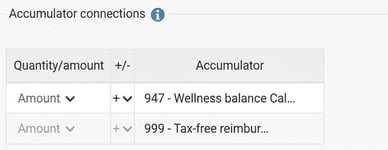
These pay codes are used for transfer to accounting. They also update the accumulator for wellness balance with the actually paid amount and VAT.
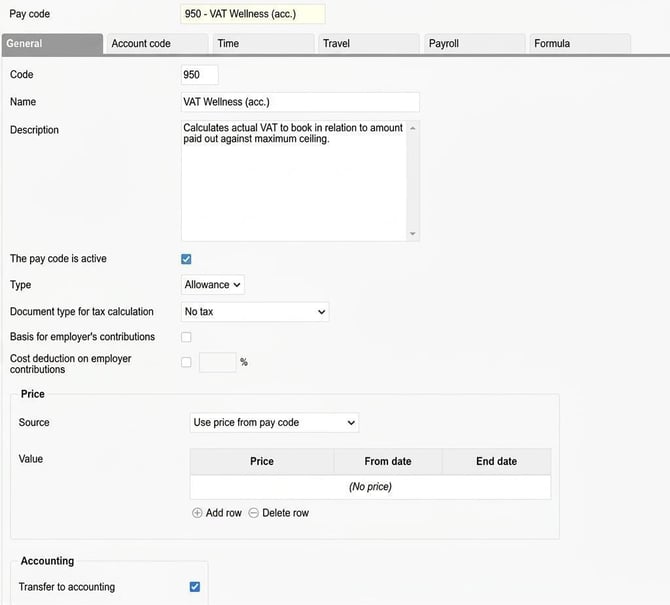
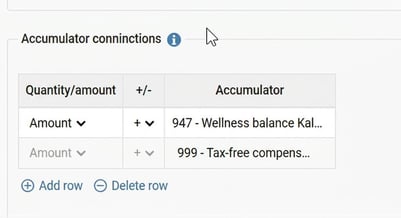
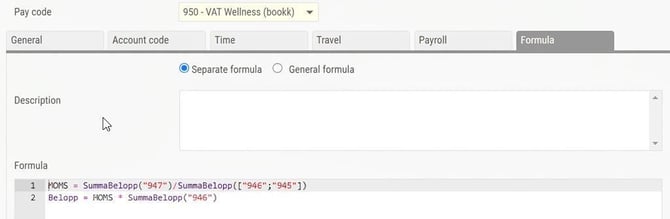
Formula for pay code 950: The formula calculates new VAT using the same VAT rate based on the paid amount on pay code 947 and the total of pay codes 945 & 946.
VAT = SumAmount("947")/SumAmount(["946";"945"])
Amount = VAT * SumAmount("946")
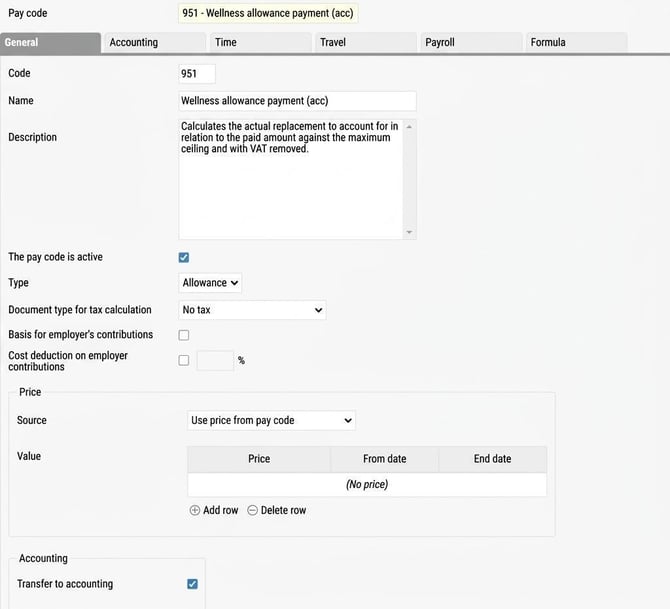
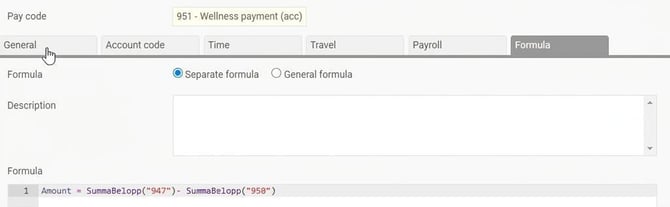
Formula for pay code 951: The formula calculates the remaining amount to book from the paid amount on pay code 947 and the VAT portion on pay code 950.
Amount = SumAmount("947")- SumAmount("950")
Please note: This article is AI-translated. This means that linguistic errors or misunderstandings may occur.