
It is possible to link one or more account code dimensions to the absence management. The purpose is partly for authorisation, where an application for absence should be audited by someone authorised to audit the account code instead of the employee’s manager, and partly to ensure that account codes from the application for absence are posted in the time report.
Under Settings > General > Account code dimensions > Time you can tick Use for absence for one or more account code dimensions.
You can then, for each reason for absence set whether account codes must/can/cannot be specified and whether the entered account codes should be posted on the time report. For this, the generated time code must also be set to allow account code to be specified.
If you do not make any changes to the reasons for absence, the default is that project must be specified and it will be posted to the time report.
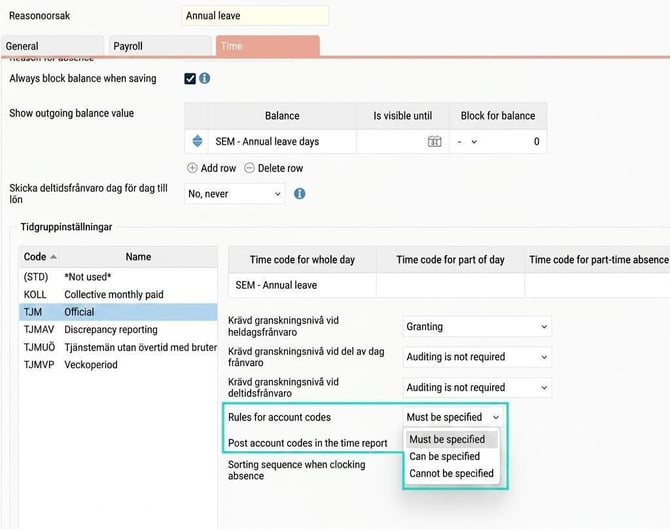
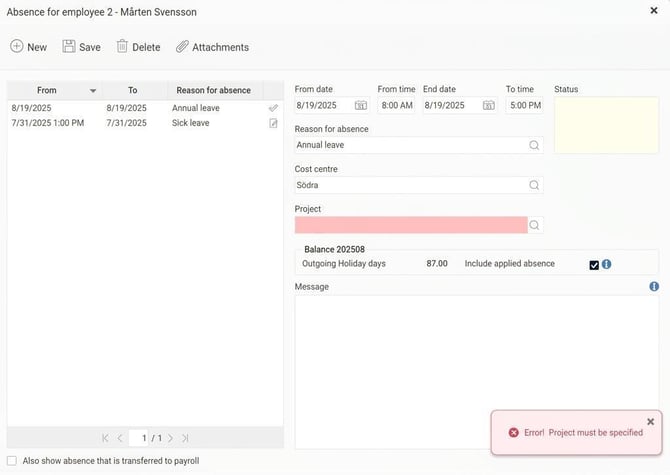
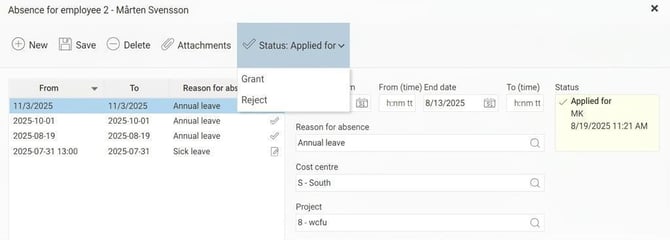
In the absence manager, there will be fields to specify account codes when you select a reason for absence that is set to allow or require account codes. If set to must be specified, it is not possible to save without having entered account codes.
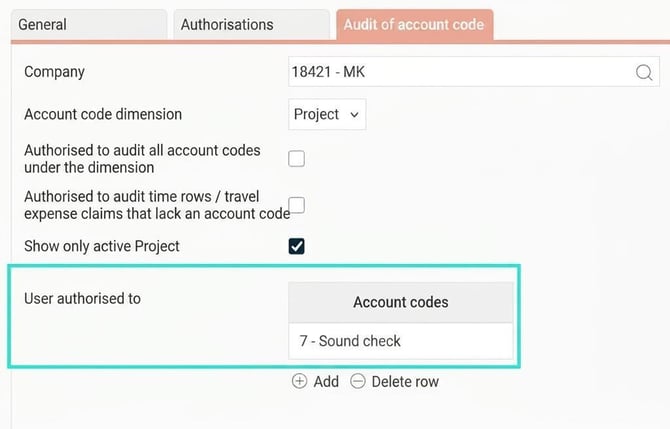
A user who is, via the Audit of account code tab, authorised for the account code registered on an application for absence will then see the application for absence on their HRM front page as well as in HRM Mobile where applications for absence are audited. This also applies for reminders that can be sent by email or as a notification in HRM Mobile.
Example
User KB is authorised to audit project 7.
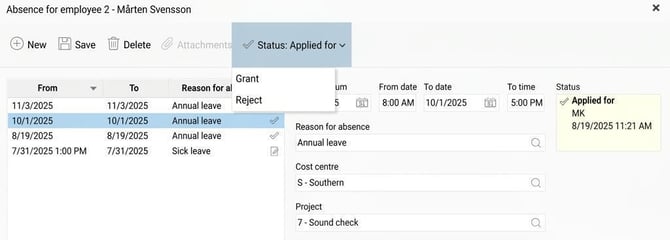
Employee 2 applies for annual leave one day in October with project 7, and one day in November with project 8.
User KB will audit, and receive reminders about, the October absence, but is not authorised to audit the November absence.
Good to know about account codes on absence
Account code levels set to be posted from project inherit both account codes and rules from the project register in the absence manager.
Example
The reason for absence Annual leave is set to require cost centre and project to be specified.
The account code level cost centre is set to be posted from project.
In the project register, project X is linked to cost centre S.
Project Y is not linked to any cost centre, but has the rule set to "Can be specified" (not must).
1: An employee applies for annual leave and specifies project X.
In the absence manager, they only need to specify project X, cost centre S is fetched automatically.
2: An employee applies for annual leave and specifies project Y.
In the absence manager, they only need to specify project Y, cost centre is not required since the "can be specified" rule from the project register applies.
Please note: This article is AI-translated. This means that linguistic errors or misunderstandings may occur.