
In our Flex HRM app, you can easily view and download your payslips.
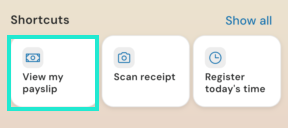
- Click on the shortcut View my payslip on the app's front page, or Payslips under My profile.
- You will now see a view showing your latest payslip, including your net wage and payment date.
From the same view, you can also:
- browse between different payments to view your earlier payslips.
- click on the Open button to view or download your payslip as a PDF file.
Authorisation in the system
You do not need to change any settings in the app for the shortcut to appear. If you are an employee authorised to view your payslips in Flex HRM on the web, you will automatically have access to them in the app too.
Please note: This article is AI-translated. This means that linguistic errors or misunderstandings may occur.