
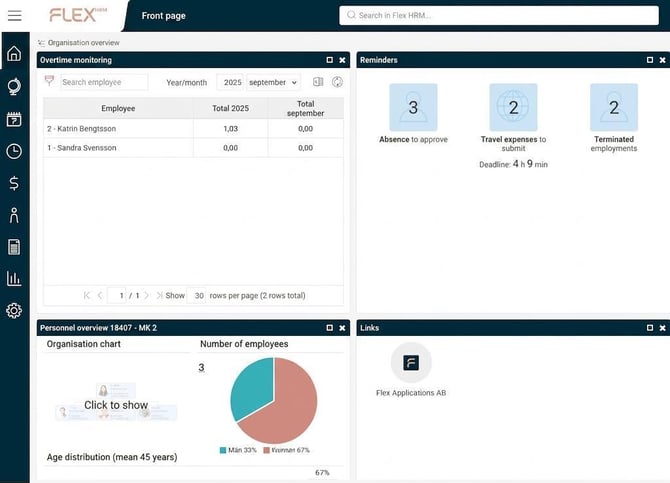
The front page displays the panels your company uses and to which you have authorisation.
|
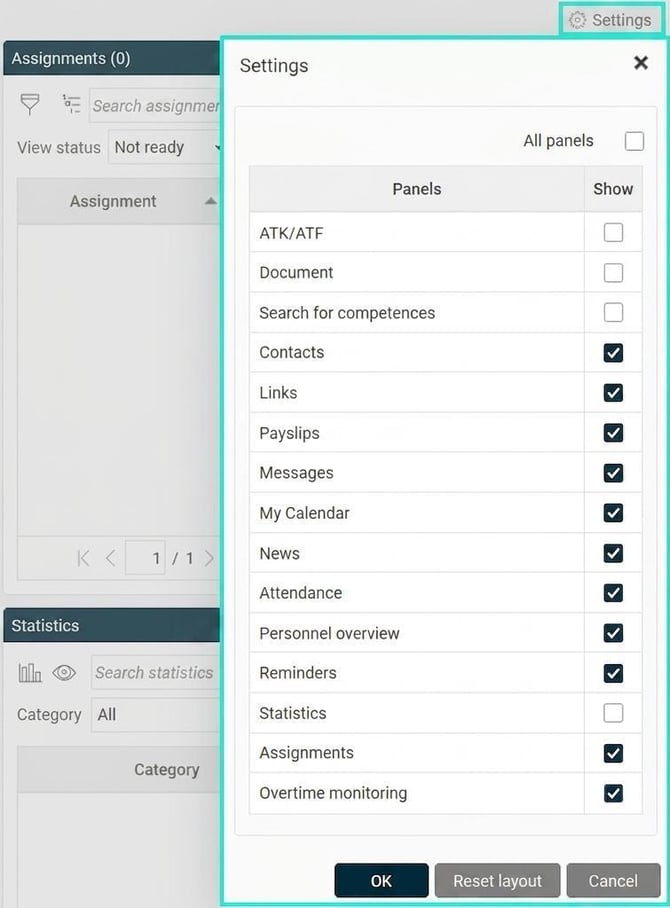
Hide panels If you want to hide a panel, click the x in the upper right corner of the panel. You can also hide panels under Settings. Uncheck the panels you do not wish to see and click OK. You can choose to show them again at any time. |
|
Customise appearance
You can also change how the panels are displayed.
-
Move panels - drag and drop the panels to rearrange their placement.
-
Change size - drag the edge of the panel to adjust its size.
-
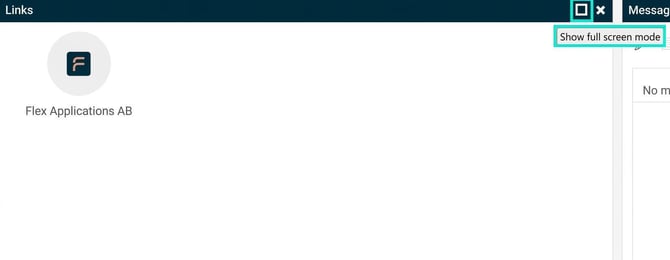
Full-screen mode - click on the square in the top right corner of the panel to display it in full-screen mode. Then click on the cross to return.
Please note: This article is AI-translated. This means that linguistic errors or misunderstandings may occur.