
Under System register > Time clock there is the tab Account code where you can connect account codes to time clocks, meaning that all employees clocking in/out using a specific time clock will automatically be registered to a particular account code (e.g. department or project).
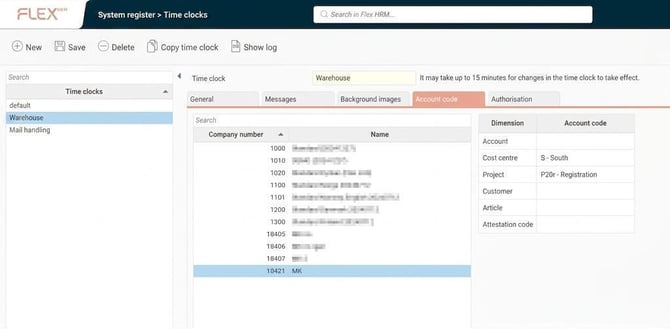
The tab Account code is shown in the image below. Here, per company, you select one or more account code dimensions to apply when an employee clocks in on that particular clock. This means that instead of employees manually registering a change of account code each time they move to another department, you can place a time clock in each department for them to clock in on.
Here, we have set it so that time rows from clockings made on the clock Warehouse by employees in company 18421 will be assigned cost centre S and project P20r.
Please note: This article is AI-translated. This means that linguistic errors or misunderstandings may occur.