
Please note
This article is only about messages shown on time clocks. To send a message to all users in HRM/Mobile, you can use the Messages feature, which is available on the front page of HRM and as a separate menu option in HRM Mobile.
Under System register > Time clock > Messages you can change the welcome text that appears when HRM Timeclock is inactive (when no one is clocking in or out). The standard text, if you do not make any changes, is “Welcome to HRM Timeclock”.
You can also enter other messages and schedule when they should be displayed.
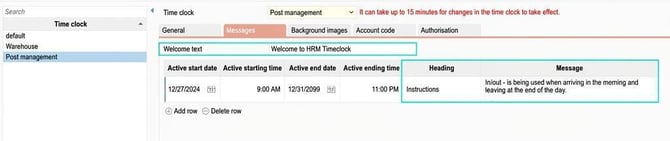
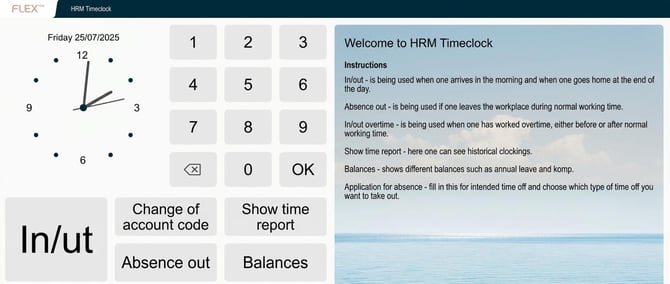
The welcome text and messages will appear on the right in HRM Timeclock.
Please note: This article is AI-translated. This means that linguistic errors or misunderstandings may occur.