
Account code dimension register

Personal account code

Pay code's account code

Main allocation of the payroll run

Priority

Use proposed account code

Discrepancy marker

Flowchart

Actions in transaction account coding

Account code structure models for transaction account coding
Account code dimension register
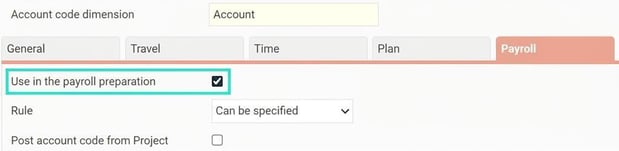
To access an account code dimension in HRM Payroll, the check box “Use in the payroll preparation” must be ticked under the Payroll tab in the account code dimension register, which you can find under Administration > Settings > General > Account code dimensions.
Personal account code
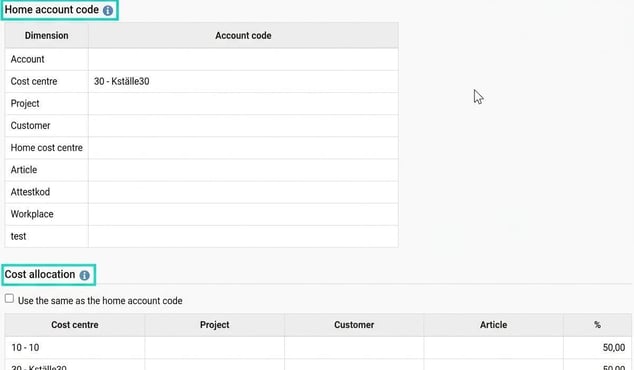
In the employee register, under Account code, personal account codes can be created. Home account code and cost allocation.
Pay code's account code
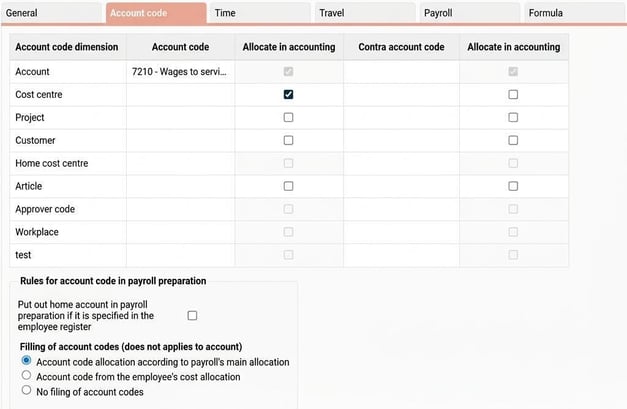
For the pay code, account codes can be created, which then apply to the current pay code.
Setting for "filling of account codes (does not applies to account)"
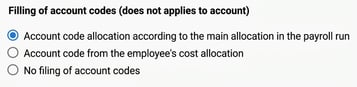
Account code allocation according to the main allocation in the payroll run
Means that account code filling is carried out based on the main allocation in the payroll run. This happens according to a priority order which is explained further down in this article.
Account code from the employee's cost allocation
Means that account code filling is carried out based on the employee's cost allocation in the employee register, tab Account code.
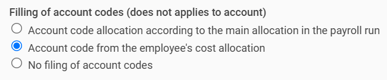
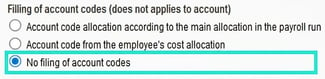
No account coding completion
Means that no account coding will be applied to this pay type when account coding is missing.
Main account distribution of the payroll run
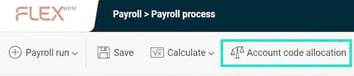
The payroll run has a main distribution for each employee in the payroll processing. This is displayed if you click the Account code allocation button in payroll processing.
The main distribution is created as follows:
-
When the payroll run is created, account coding from the individual's cost allocation will be applied.
-
If a pay code for Discrepancy reporting has been defined under Settings > System fixed pay codes and this pay code is used on one or more transaction rows with a quantity over 0, the main allocation will be calculated based on these rows. When the main allocation has been calculated in this way, it is locked for manual changes.
-
Manual changes to the main allocation are only possible if the calculation has been made based on the employee's cost allocation. If a manual change is made and it differs from the original cost allocation when the payroll run was created, the change is marked as a discrepancy.
Transaction account code
A transaction's account code takes precedence over other account codes. For example, if a transaction is imported from a time system and contains an account code with cost centre 1000, this account code takes primary precedence over other account codes in Payroll.
Priority
The following priority of account codes applies when a transaction is entered in the payroll preparation.
Account codes of the account type
- Manually changed account on the row
- Imported account on the row.
- Account from home account code if the setting on the pay code is ticked and a home account exists.
- The pay code's account, if one exists.
Account codes beyond the account type
- Manually changed account code on the row.
- Imported account code on the row.
- If the pay code has an account code (other than account), this applies.
- If the pay code is set to "Account code allocation according to the main allocation in the payroll run", filling of account codes takes place from the main allocation.
- If the pay code is set to "Account code from the employee's cost allocation", filling of account codes should be carried out based on the cost allocation that applies to the transaction's from-date when the row is created. If the transaction lacks a from-date, the payment date of the payroll run is used instead.
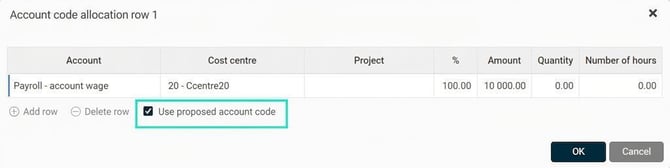
Use proposed account code
Each transaction row, except those with a pay code that is system fixed and has the function Discrepancy reporting, has a check box in the account code pop-up with the option Use proposed account code. The check box is automatically ticked for new transaction rows.
When the check box is ticked, account codes are fetched again based on the proposed account code, which is determined by the setting on the pay code.
Discrepancy marker
The discrepancy marker exists to understand what deviates from the norm.
Transaction rows
If a transaction row has a deviating account code, the account code symbol of the row is discrepancy marked.
The account code allocation on the row is compared with the account code allocation that applies when the row is first assigned. If there is a discrepancy, it will be marked. Discrepancies may arise from manually changed account codes or imported account codes on transactions.
Main allocation
The main allocation is only discrepancy marked if the allocation of account codes is based on the person's cost allocation. The main allocation is deviating if it differs from the person's cost allocation.
Actions for transaction account coding:
- Create transaction row:
The default account code is assigned according to the pay code's settings and priorities. "Use proposed account code" is always marked by default. - Manual entries:
If "Use proposed account code" is unticked, you can register your own account code on the row. - Reactivate "Use proposed account code":
The account code is reset according to priority and the pay code's setting. All manual changes are removed and replaced. - Changed main allocation:
If the main allocation is changed, either manually or via a system fixed pay code, all transaction rows with "Use proposed account code" ticked should be re-coded. - Change date or personnel category on a transaction row:
If the pay code has account code filling from the employee's cost allocation, and the row has "Use proposed account code" ticked, the account code will be re-assigned according to the same principle as for a new row. - Change account code in the employee register:
Ongoing payroll runs are not directly affected. If changes are saved on an employee in payroll preparation, however, they may take effect. - Change the pay code's account code:
Ongoing payroll runs are not directly affected. If changes are saved on an employee in payroll preparation, these may take effect on the account code.
Flowchart
Account code flow for account code allocation beyond account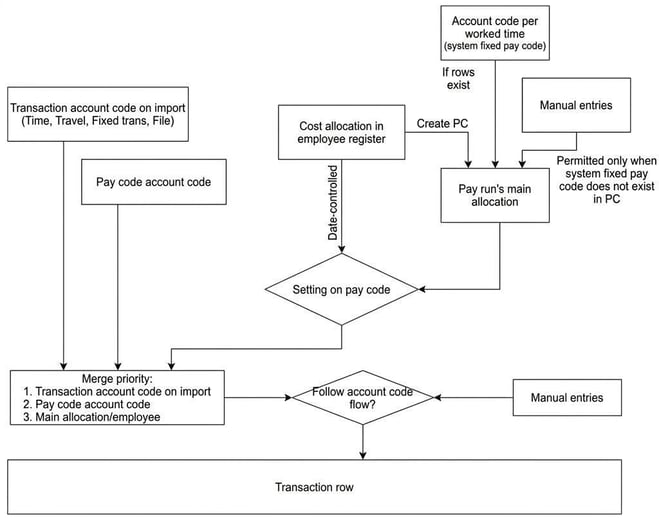
Account code flow for account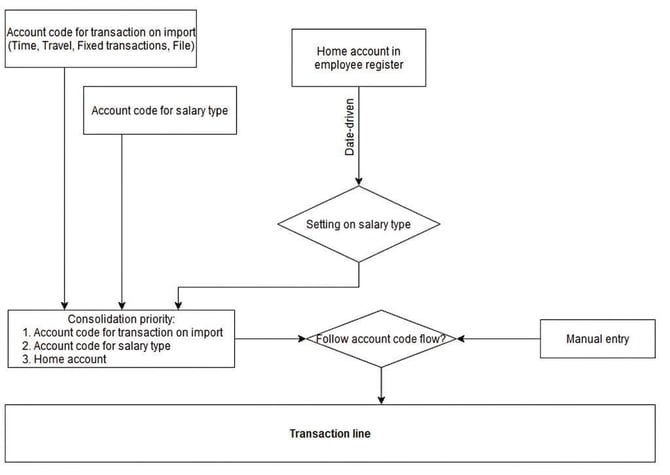
Account code structure models for transaction account coding
|
Manually specified |
Manually specified account code |
|
Follow main allocation |
Imported account code, pay code, main allocation |
|
Employee's cost allocation |
Imported account code, pay code, employee's cost allocation |
|
No account code completion |
Imported account code, pay code |
Please note: This article is AI-translated. This means that linguistic errors or misunderstandings may occur.