
Notification on documents in HRM
In HRM, you can use reminders to be alerted when a new document is uploaded. This applies to:
- Personal documents in the employment register
- Front page documents
- HR-forms that are saved directly to the employee’s documents
- Attachments added to the employment register via the employee’s application for absence in HRM Time
Please note that the reminder does not work for documents managed via E-signing.
Set up reminders for tasks
To enable automatic reminders for newly uploaded documents, go to Administration > Settings > General > Reminders.
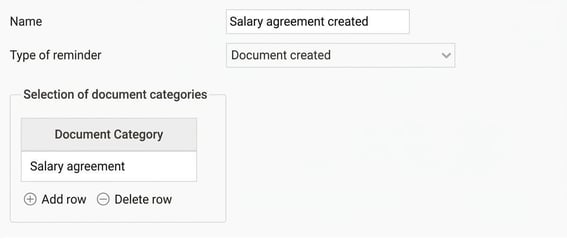
Here you create a reminder of the type Document created.
- Select the document category or categories the reminder should apply to.
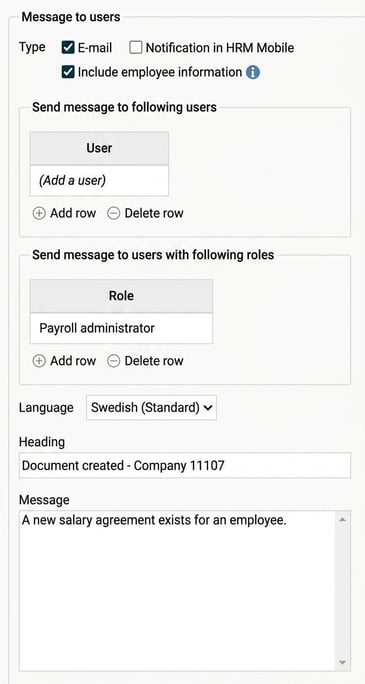
- Set who should receive the reminder.
Please note: This article is AI-translated. This means that linguistic errors or misunderstandings may occur.