
News
In the panel News on the front page you can access news feeds via what is known as an RSS reader (An RSS reader is a tool that helps you collect and read news feeds from various websites all in one place).
The system supports displaying RSS news feeds. This means you can add your own internal feeds as well as public news feeds from other sources.
News items are displayed on the front page as cards with a summary in the panel. Clicking on the card opens a link to the full news item.
Manage news categories
You manage the categories under Administration > System register > News – Categories.
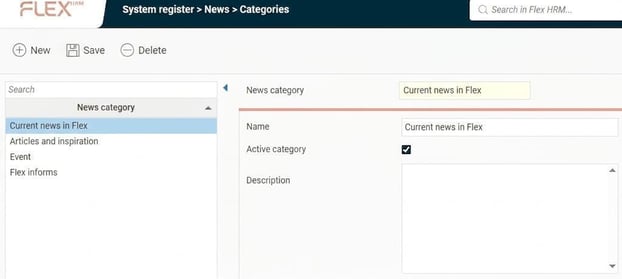
Here you see a list of existing categories. You can add new ones, delete, activate and deactivate categories. These are the categories for which you later control authorisation in role management.
Under Administration > News > Feeds you then manage which news feeds should be available in the system and in which category they should be displayed.
If you need to translate the names of the categories, you do this under Administration > System register > Translation.
Manage news feeds
Under System register > News – Feeds you see a list of existing news feeds. You can add new ones, delete, activate and deactivate feeds.
Note that these need to be RSS addresses which you specify in the field Feeds for the news feed to function.
(The Flex applications website currently does not support RSS news from "New in Flex HRM".)
For each news feed, you select which category it should belong to. The authority is then controlled via the category so that only users with access to the selected category can view the feed.
If you use multiple languages in the system, you can set which languages a news feed should be viewed for. You can also limit how long articles from a feed should be saved and specify the maximum number of saved articles.
Authorisations
News feeds are divided into categories for which you can control the authorisation. This allows you to choose which news will be shown to various users.
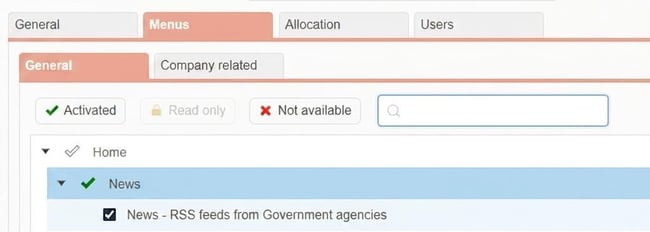
For a user to see the news, they must have authorisation for both the News panel News and the specific news categories.
Please note: This article is AI-translated. This means that linguistic errors or misunderstandings may occur.