
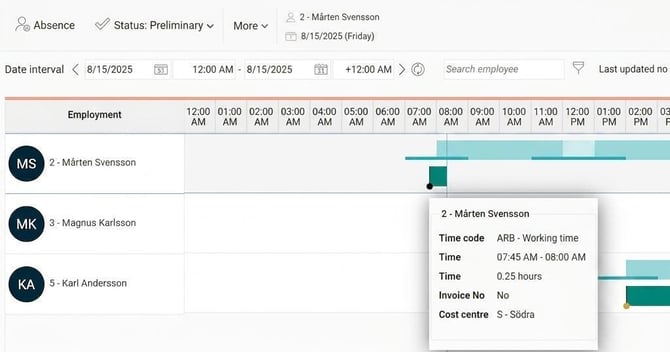
Overview displays times from your time report graphically (and for employees whose time reports you have access to).
The current point in time is shown as a blue vertical line. All time rows that have been reported are displayed here as a graphic, horizontal timeline. What is shown includes absence, change of account code, clock-in, etc.
Hover the mouse pointer over a section to see all details from the time report.
| Go to More > Settings to customise the view to your preferences. | 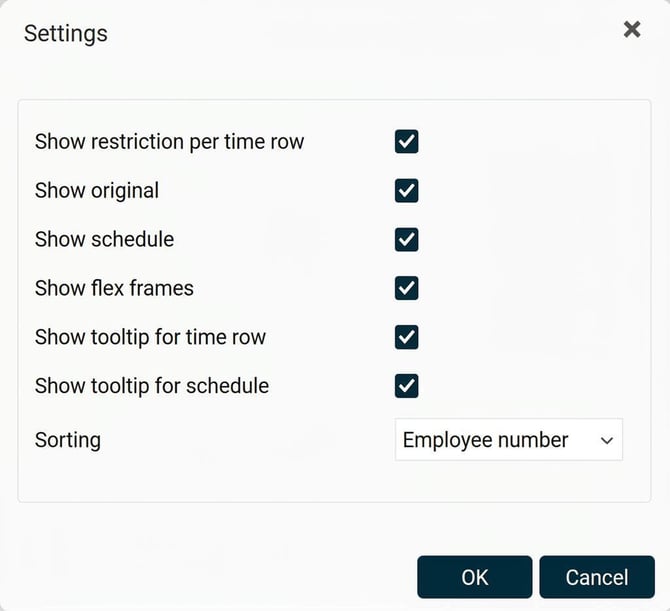
|
| Click 'Colour key' to view an explanation of the elements currently displayed (this explanation may vary depending on the information being shown). | 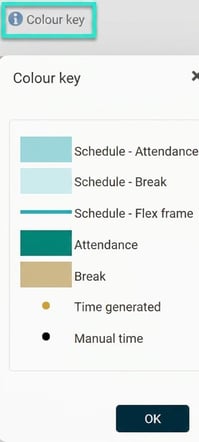
|
Please note: This article is AI-translated. This means that linguistic errors or misunderstandings may occur.