
Assign home account code
Date-controlled home account codes
Home account codes in time reports and travel expense claims
Assign home account code
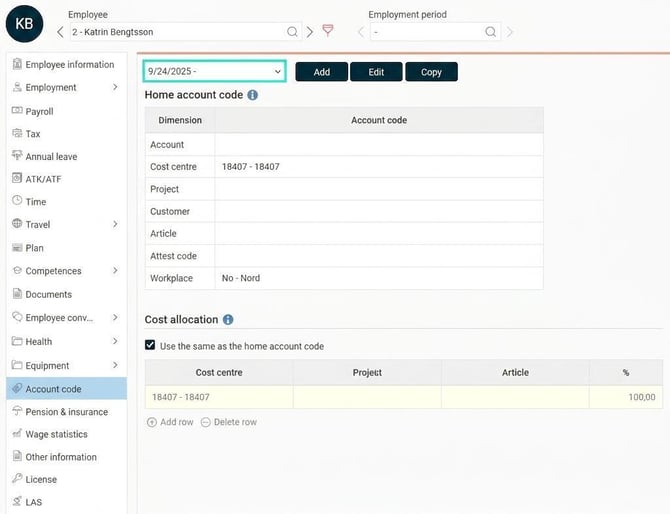
You can view and assign employees’ home account code in theEmployee register, the tab Account code.
Home account codes can be used for several different purposes in the system:
-
Authorisation: Control which users have authorisation for the employee.
-
Reports and statistics: The home account code can be included in time reports, travel expense claims, and the payroll preparation for follow-up in reports and statistics.
-
Filter selection: Make selections, for example, to extract a report only for employees belonging to a specific cost centre.
Note
Your company may use different terms for their home account codes than those used in this article.
Date-controlled home account codes
You can set a date interval for an employee’s home account code. If, for example, an employee is going to change department, you can enter this in the system in advance. The system will then handle the change automatically on the correct date.
If you have authorisation control on account code dimensions, the responsible approving manager will also gain authorisation from the correct date.
Tolerance for authorisations
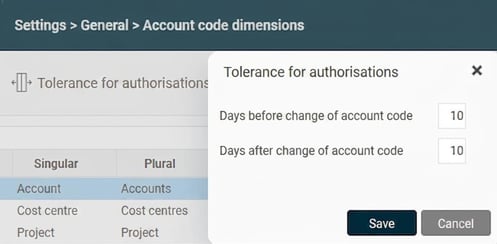
When an employee changes home account code, it can be useful to let authorisations overlap for a while. This allows both the old and new managers to manage the employee’s time reports and travel expense claims during the transition. You set this under Settings > General > Account code dimensions > Tolerance for authorizations. There you can specify how many days before and after a change the new and old manager will be able to view the employee.
Home account codes in time reports and travel expense claims
Home account codes are added automatically to time rows and in travel expense claims if nothing else has been specified and if the setting post home account if blank is activated for the account code dimension. You’ll find the setting under Settings > General > Account code dimensions.
-
Travel expense claims: When you create a new travel expense claim, the home account codes that apply on the day the claim is created are retrieved for the main details of the claim. If you click the Reset button in the main details, the home account codes for the selected date will be retrieved. Since expenses and travel fetch their account code from the main details of the claim, they are not affected by the specific date of the expense or trip.
-
Time reporting: Account codes are fetched based on the day being reported.
-
Reports and statistics: Note that when you make a selection on home account code in reports or statistics, the selection is always made on the account code that applies to the date the report or statistics are generated.
Authorisation to home account codes in the Employee register
It is possible to set authorisation for individual home account codes. For example, you may be authorised to change an employee's home cost centre, but only have read-only access to the home department. This is described in the article How does company-specific authorisation work?
Please note: This article is AI-translated. This means that linguistic errors or misunderstandings may occur.