
Account code registers.
|
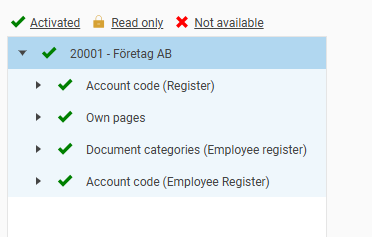 |
Account code (Register)
If you want to manage the authority to account code registers per company and per individual register, you should set a red cross for the node Account codes in the general authorisation tree.
If you want a user to have the same authority for all companies, you can instead use a green tick (view and edit) or padlock (read only) in the general authorisation tree. This authority then applies to all companies.
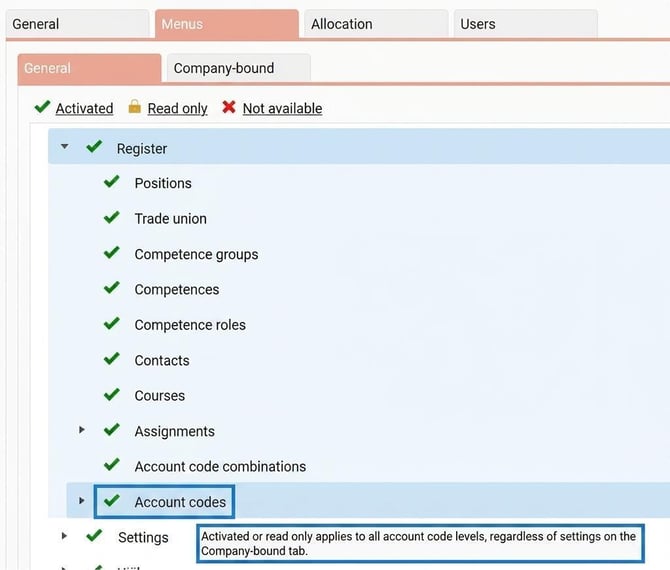
With a green tick or padlock, you will see all account code registers in all companies, whereas a red cross allows you to manage which registers you should see in each company.
Own pages
Company-bound authorisation for Own pages is described in this article: How do I create Own pages and fields in HRM Employee?
Document categories (Employee register)
Company-bound authorisation for document categories (employee register) is described in this article: How do document categories work in HRM Employee?
Account code (Employee Register)
In the general authorisation tree, there is the node Account codes for the employee register.
-
A red cross means the tab Account codes is not displayed at all.
-
With a green tick you can set the authority for individual home account codes, per company, on the company-bound authorisation tab.
-
Read only (padlock) will take effect if the company-bound authority does not have a red cross.
The setting show all account codes in the general authorisation tree makes all home account codes visible, regardless of what is set for the company-bound authority.
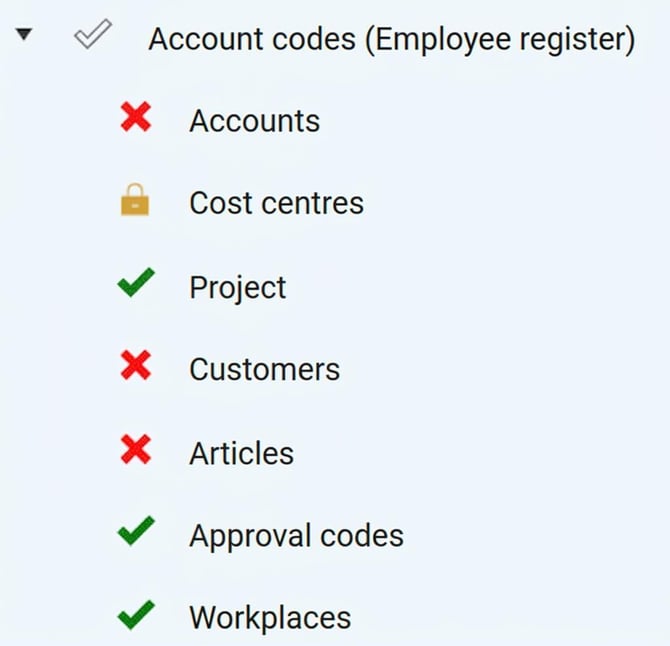
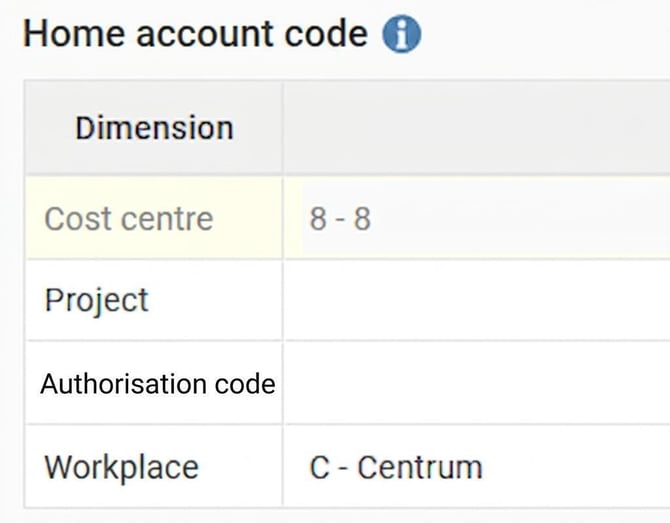
In the image below, we have chosen to give full authority in the company-bound settings to home project, home approval code, and home workplace. For home cost centre, we have set read only. Home account, home customer, and home article will not be shown at all.
|
|
Related
What is a role?
How do document categories work in HRM Employee?
How do I create Own pages and fields in HRM Employee?
Please note: This article is AI-translated. This means that linguistic errors or misunderstandings may occur.