
System messages are displayed as boxes in the bottom right corner of the screen. There are three different types of messages: Information, Error and Warning.
Information
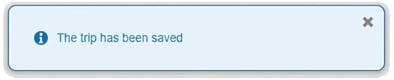
Information messages have a blue icon and blue text. They appear as confirmation when an action has been completed in the system without error, for example when you’ve saved something.
Error
Error messages have a red icon and red text. These messages appear when you try to save something without the necessary conditions being met. Correct the error as instructed and then try to save again.

Warning
Warning messages may be shown when you save, even though the saving itself works. The warning indicates that there may be other prerequisites that mean the expected result may not be achieved.
An example is if there is a setting that requires a purpose must be specified for travel. You can then save a travel claim without a purpose, but you will need to add a purpose in order for the travel expense report to be reviewed.

Please note: This article is AI-translated. This means that linguistic errors or misunderstandings may occur.