
How are discrepancies displayed?
What counts as a discrepancy?
Exclude time codes from discrepancies
Can you audit time reports with discrepancies?
How are discrepancies displayed?
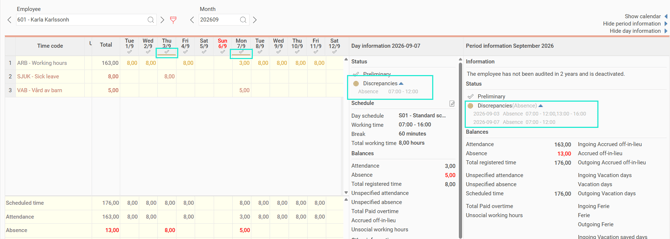
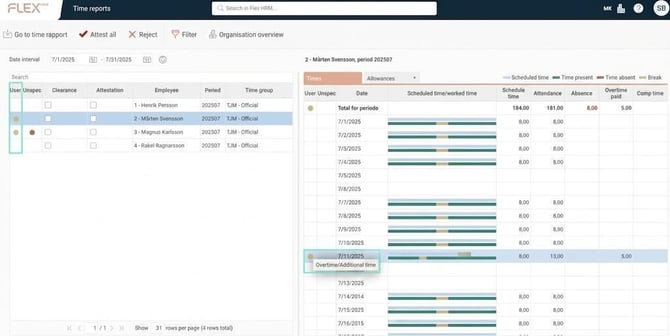
Discrepancies in the time report are things you may want to review more closely, but that does not necessarily mean there is anything wrong with the reporting. Discrepancies are marked with yellow colour in the time report, and you can find further information in the Day information and Period information columns, as well as in the audit views.
What counts as a discrepancy?
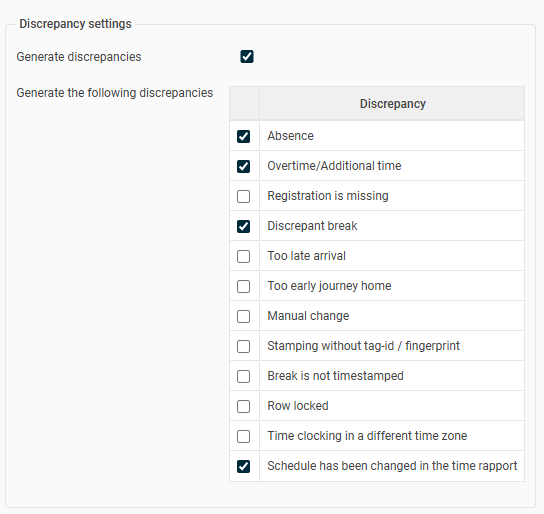
What will generate discrepancies is set per company (Time reports), per time group or per employee. You can completely deactivate discrepancies (untick "Generate discrepancies"). The events that can generate discrepancies are Absence, Overtime/Additional time, Registration is missing, Discrepant break, Too late arrival, Too early journey home, Manual change, Time clocking without fingerprint/badge, Break is not timestamped, Row locked, Time clocking in a different time zone, Schedule has been changed in the time report.
Exclude time codes from discrepancy
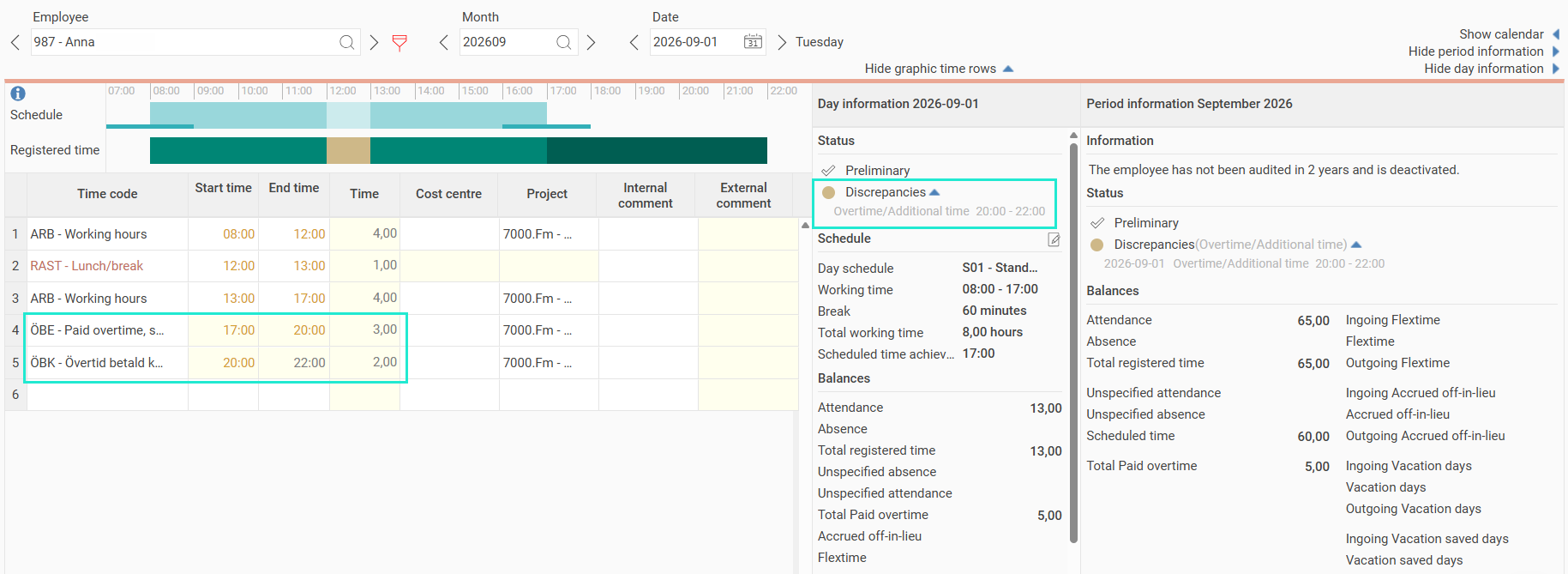
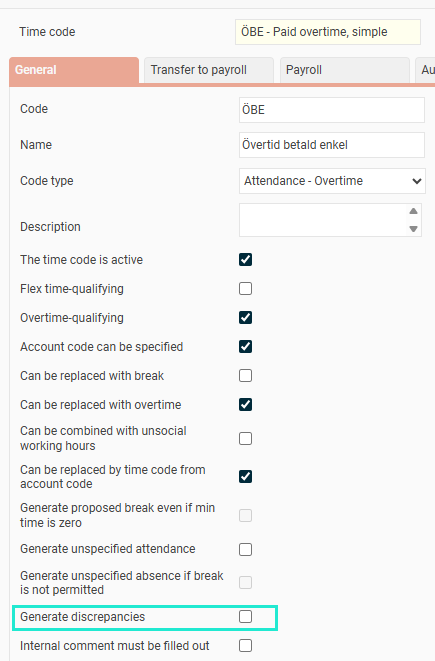
In the time code register, there is a setting called "Generate discrepancies". If this is unticked, a discrepancy will not be generated even if the time row should have generated one. For example, overtime should generate a discrepancy, but not if the overtime is recorded on a specific time code. In the example below, a discrepancy is only shown for the overtime between 20:00–22:00, because the time code ÖBE, 17:00–20:00, is set not to generate discrepancies.
Can you audit time reports with discrepancies?
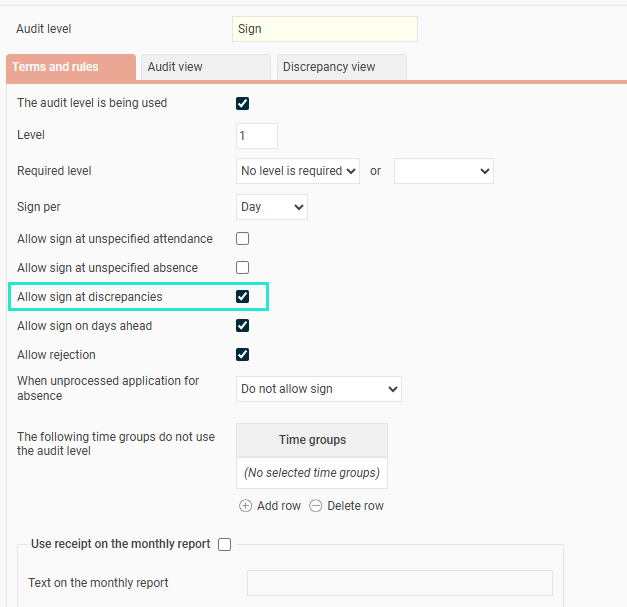
Under Settings > General > Audit levels > Time reports you specify per audit level whether discrepancies mean a block for audit. Usually, audit is permitted in the event of discrepancies (as these do not need to be corrected but only checked) but not for unspecified time (since that should be changed to, for example, overtime or absence).
Please note: This article is AI-translated. This means that linguistic errors or misunderstandings may occur.