
Under next of kin, employees specify the person or persons whom the employer should contact if something happens to the employee during work.
Next of kin can be registered
- manually
- via file
- via API
Employee register - settings
In the menu Settings > Personnel > Employee register - settings you configure settings that control the handling of next of kin. You can also access the same view directly via the employee register,Personnel > Employees > More - Settings.
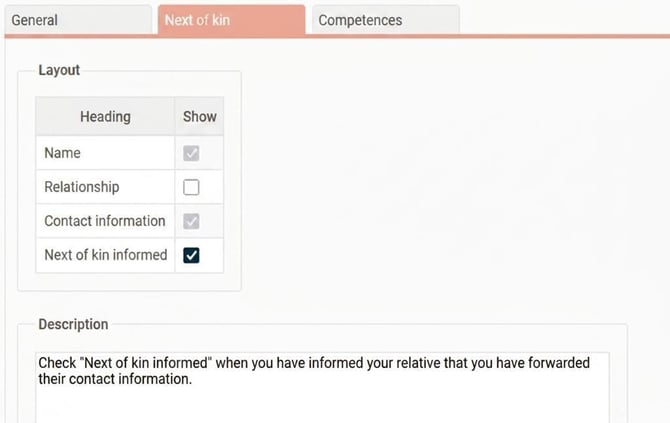
You can choose which of the fields name, relationship, contact information and next of kin informed should be viewed for next of kin, as well as a description.
In the example below, we have opted to include a description of Relative informed and to hide the field Relationship.
This is how it appears when an employee has added a next of kin in HRM:
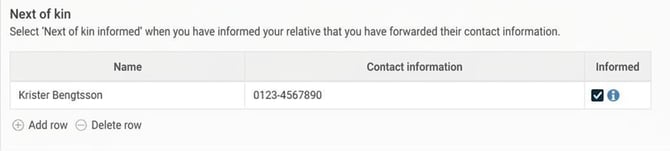
We do not recommend specifying the relationship for next of kin, based on IMY’s statement, see more on the Swedish Authority for Privacy Protection's website.
To make it easier not to fill it in by mistake, untick the display of relationship as shown in the image above.
Authorisations
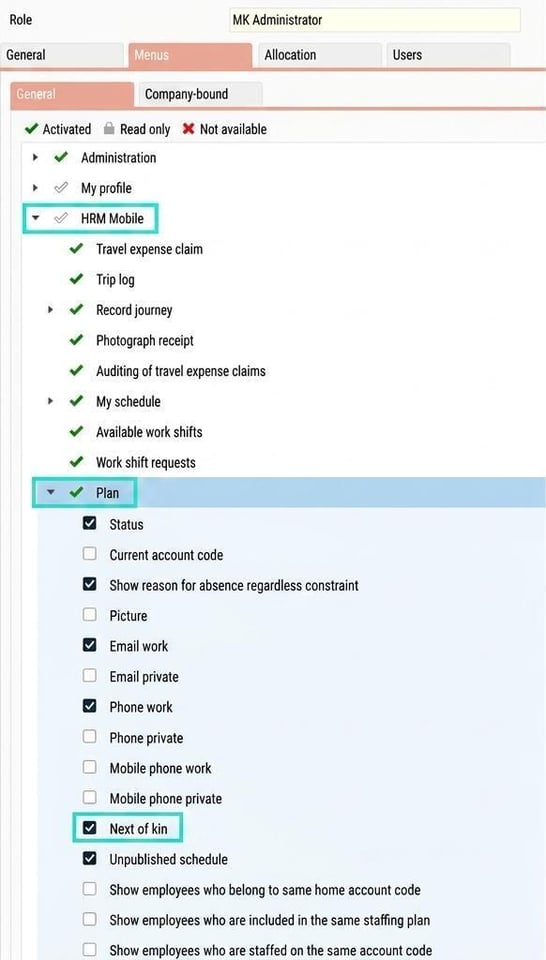
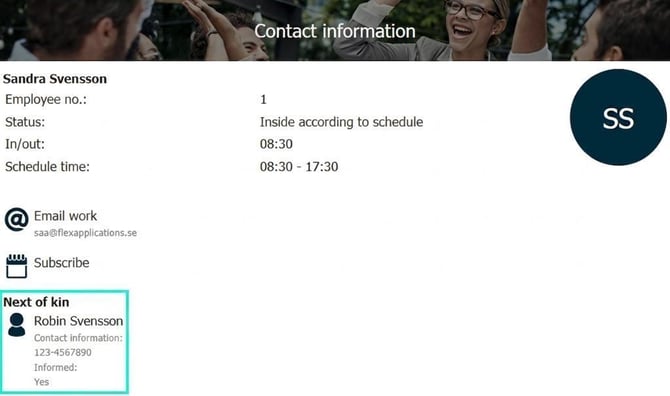
You can set per role whether users are allowed to see information about next of kin and, if so, in which views they should be displayed. In the example below, we have chosen to display next of kin information in the staffing view of HRM Mobile.
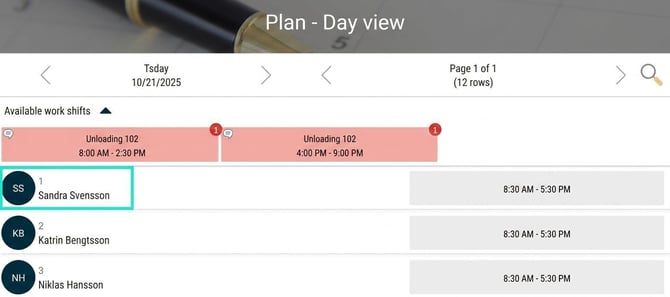
This is how the Staffing view looks in HRM Mobile:
Next of kin - relations
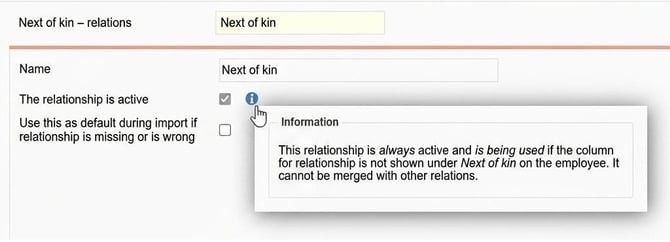
The system includes a standard register of relationships which you find under System register > Next of kin - relations.
Here there is a relationship called Next of kin which is used when relationship is not shown under Next of kin for the employee because relationship has been disabled in the settings.
In the example below, you see the system register for relationships:
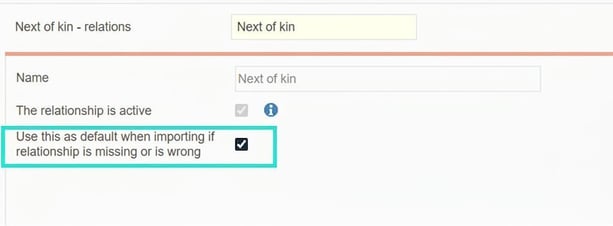
If you want to import next of kin from another system, you are required to specify some type of relationship. We then recommend that you use a relationship as standard, for example "Next of kin". Tick the box Use this as default for import if the relationship is missing or is wrong.
Please note: This article is AI-translated. This means that linguistic errors or misunderstandings may occur.