
Off boarding - Terminating an employee
When you are ending an employment in HRM, you enter an end of employment date for the employment period directly in the Employee register. If you have HRM Time or HRM Payroll, you will receive a warning that requires your attention.
What does the warning that appears mean?
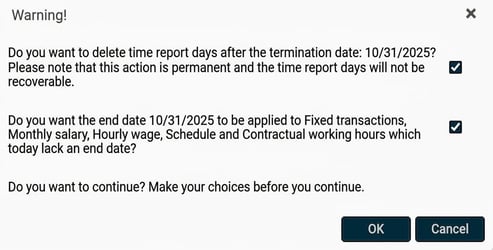
HRM Time
If your company uses HRM Time, you will see the following question when you save an end of employment date for an employee:
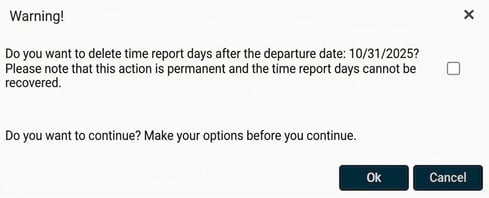
If you tick the box, you answer YES to the question "Do you want to delete time report days after the end of employment date?" and any time reports recorded after the end of employment date will be removed.
If you do NOT tick the box, you answer NO to the question "Do you want to delete time report days after the end of employment date?" and any time reports recorded after the end of employment date will remain if the employee later gets a new employment.
HRM Payroll
If your company uses HRM Payroll, you will see the following question when you save an end of employment date for an employee:
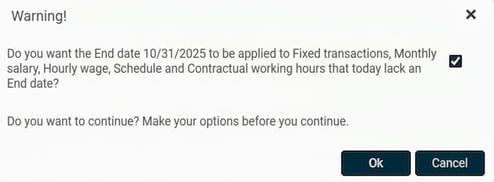
If you tick the box, you answer YES to the question "Do you want the end date to be set for fixed transactions, monthly salary, hourly wage, schedule and contractual working hours that currently lack an end date?" This means these fields in HRM will be assigned the same end date as the end of employment date.
If you do NOT tick the box, you answer NO to the question "Do you want the end date to be set for fixed transactions, monthly salary, hourly wage, schedule and contractual working hours that currently lack an end date?" This means these fields in HRM will continue to remain without an end date.
Please note: This article is AI-translated. This means that linguistic errors or misunderstandings may occur.