
Settings
Below are the various settings required for the summary of parts A and B in the statistics to be correct.
Pay code settings
To be able to sum the number of worked and paid hours, you need to specify for different pay codes what they refer to. This is controlled with these check boxes found on the tab Payroll in the pay code register:
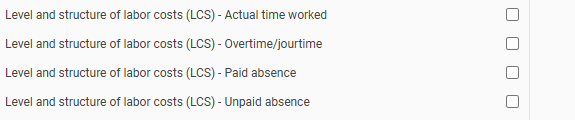
The following applies to each check box:
- Actual worked time
Used for summing the number of hours worked. See the instructions from SCB for more information about what should be included. Note that overtime and on-call time must be included here. - Overtime/on-call time
Used for summing the number of hours with overtime or on-call time. - Paid absence
Used for summing the number of hours with paid absence. See the instructions from SCB for more information about what should be included. - Unpaid absence
Used for summing the number of hours with unpaid absence. See the instructions from SCB for more information about what should be included.
Related articles:

Which details are included in the statistics for the level and structure of labour costs (LCS) and how are they calculated?

Level and structure of labour costs (LCS) - How do I generate statistics for LCS in HRM Payroll?
Please note: This article is AI-translated. This means that linguistic errors or misunderstandings may occur.