
How do you use the Service Portal in Flex HRM?
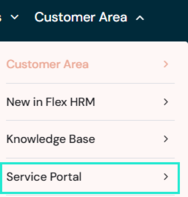
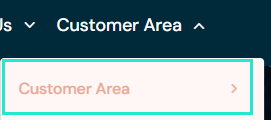
In the Service Portal, you can create and follow your support cases, book consultancy services, and manage your contact details. You can find the Service Portal on our website www.flexhrm.com under Customer Area.
Logging in for the first time
In connection with project completion, your contact persons' email addresses are registered in the Service Portal. Whoever is registered as a contact person has access to the portal.
- Go to Customer Area > Service Portal.
- Click on Forgot password? and enter your email address.
- The login details are individual and are sent separately to each administrator via email.
Once you have logged in, you can create cases and subsequently follow and view their status. You can also close cases and browse back to view previous questions and answers.
How to create a support case
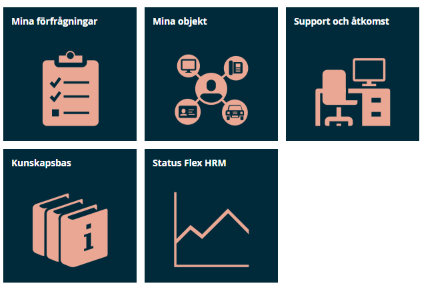
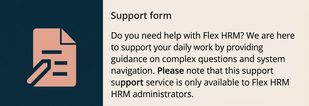
- Click on Support-form under Support and access.
- Fill in the form as thoroughly as possible and feel free to attach images to highlight your problem.
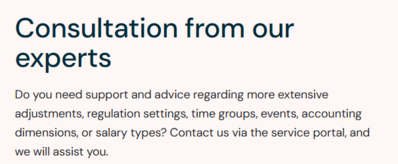
How to book a consultant
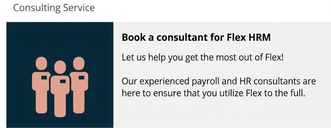
- Click on Book a consultant for Flex HRM under Support and access.
How to change your contact persons' contact details
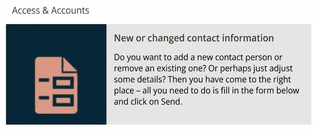
If there are any changes regarding your contact persons, you change them under Support and enthusiasts > Access & Accounts.
- Click on New or changed contact details.
- Fill in the form and click on Send.
More information and guides
On our website, you will find more information about our services under Customer Centre > Customer Centre home.
Here you will also find a guide that informs you about the difference between support and consultancy services.
Please note: This article is AI-translated. This means that linguistic errors or misunderstandings may occur.